1
5.2
Caring for the System
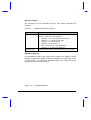
This section tells you how to care for the system. Also, re-read the
important safety instructions at the beginning of this manual.
5.2.1
System Hardware
•
Do not expose the notebook to rain, liquid or moisture.
•
Do not place near sources of heat, such as a radiator.
•
•
5.2.2
Never place objects on top of the notebook to avoid damaging the
notebook.
AC Adapter
•
•
•
5.2.3
Do not expose to temperatures below 0ºC (32ºF) or above 50ºC
(122ºF).
Do not connect the adapter to any other device.
Do not step on the power cord or place heavy objects on top of it.
Carefully route the power cord and any cables away from personal
traffic.
The total ampere ratings of the equipment plugged in should not
exceed the ampere rating of the cord if you are using an extension
cord. Also, the total current rating of all equipment plugged into a
single wall outlet should not exceed the fuse rating.
Battery Pack
•
•
Use only batteries of the same kind as replacements. Turn the power
off before removing or replacing batteries.
Do not tamper with batteries. Keep them away from children.
Travel and Maintenance
5-3