1
Technical Instructions
Document Number 155-055P25
April 1, 2005
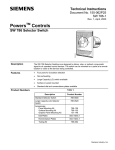
SW 151 Positioning Switch
Panel Mounting
Table 2. Panel Mounting Kit Number 151-146
(See Figure 3).
Item
Description
Qty
Material
1
No. 2-56 × 1/4 Round Head Screw
1
Brass
2
Washer
1
Brass
3
No. 6-32 Hex Nut
2
Brass
4
Lock Washer
2
Cad. Pl.
5
No. 6-32 × 5/16 Flat Head Screw
2
Brass
6
No. 3-48 × 1/8 Bind. Head Screw
2
Brass-Cad Pl.
7
Mounting Plate
1
Steel
8
Dial Faceplate
1
Polystyrene
9
No. 6-32 × 1/2 Flat Head Screw
2
Brass
Figure 3. Panel Mounting (See Table 2).
1. Remove switch from box, being careful not to turn adjusting screw. The switch is
shipped factory-set to be closed; that is, to pass no air. Remove knob from adjusting
screw shaft.
2. Screw stop screw (1) to mounting plate (7). Stop screw hole is closest to adjusting
screw. Make certain small stop screw washer (2) is in correct position. Fasten plate
(7) to switch with two regular flat head screws (5). Make sure stop screw (1) fits into
recess of switch body.
3. Connect 1/4-inch OD plastic tubing to fittings on switch body. Note “R”and “S” port
markings. Connect other ends of connecting tubes to supply and return lines through
hole in panel.
4. With stop screw (1) below adjusting screw shaft, attach mounting plate (7) to panel
with two flat head screws (9).
5. Place desired dial and nomenclature plates in recesses in the dial faceplate (8). Then
affix to mounting plate (7) with two binding head screws (6).
6. Tighten knob to shaft. Turn knob fully counterclockwise. Switch should pass 0 psi
with 15 psi air supply.
The installation is now complete.
Page 4
Siemens Industry, Inc.