1
Configuration Command for "Conditional
trigger for Fail Safe Installation"
Parameter
Number
Definitions
Parameter value range
2 (0x02)
Set timeout period
0 ~ 240 (minutes)
(default value is 0
[function disabled])
3 (0x03)
Configure Node ID
number for Z-Wave
command source
1 ~ 232 (Node ID number)
(default value is 0
[function disabled])
4 (0x04)
Set relay output status if
timeout period has been
reached
1 = turn on relay
0 = turn off relay
(default value is 0)
LED Indication Status:
Operations
ZFM-80US
power on
LED Indication Status
Device already exist
Device does NOT exist
in network
in network
- LED flashes slowly
- LED flashes slowly within
within 2 seconds then
2 seconds then stay on if
stay on if external
external switch stay in
switch stay in active
active stage.
- LED flashes slowly within
stage.
- LED light up.
4 minutes then stay on if
external switch stay in
inactive stage.
Press
PROG button /
LED flashes slowly
Press
within 2 seconds then
external switch
stay on.
(Learning mode)
LED flashes slowly within
2 seconds then stay on.
Receive
command /
Send command
or data
LED flashes 2 times
then stay on.
N/A
LED flashes 6 times
rapidly then stay on.
N/A
Error
The connected device can be turned ON in two ways:
1. Manual control with the push button on the ZFM-80US.
2. Z-Wave remote controller.
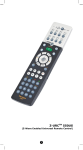
BW8380
(ZRC- 100)
Manual ON/OFF function
Turn the resistive household appliance On/Off by pressing the
button at front or external switch.
(Press the external switch to turn the resistive household
appliance on if it is in off stage and vice versa)
Z-Wave Remote Control
Include or exclude the Fixture Switch Module from the existing ZWave home control network with your primary controller.
- Refer to your primary controller instructions to process the
inclusion / exclusion setup procedure.
- When prompted by your primary controller, click once on the
PROG button or external switch.
- The primary controller should indicate that the action was
successful. If the controller indicates the action was
unsuccessful, please repeat the procedure.
- Once the Fixture Switch Module is part of the network, the
same basic procedure is used to add the Fixture Switch
Module to groups or scenes. Refer to the primary controller's
instructions for details.
Support Association Command Class
ZFM-80US support one association group, this association
group contains 5 nodes max.
It is used to report the relay on/off status to specify nodes with
ZFM-80US predefined association group once the relay state
has been changed.
All On/All Off functions
All Configuration Parameters can be restored to their factory
default settings by using your primary controller to reset the
device. (Delete device from the network)
WIRELESS INFORMATION
Wireless range:
This device has an open-air line-of-sight transmission distance of
25m which complies with the Z-Wave standards. Performance
can vary depending on the amount of objects in between Z-Wave
devices such as walls and furniture. Every Z-Wave device set up
in your network will act as a signal repeater allowing devices to
talk to each other and find alternate routes in the case of a
reception dead spot.
Radio frequency limitations:
1. Each wall or object (i.e.: refrigerator, bookshelf, large TV, etc)
can reduce the maximum range of 65 feet by up to 25 to 30%.
2. Plasterboard and wooden walls block less of the radio signal
then concrete, brick or tile walls which will have more of an
effect on signal strength.
3. Wall mounted Z-Wave devices will also suffer a loss of range
if they are housed in metal junction boxes which could also
reduce the range by up to 25 to 30%.
MAINTENANCE
1. Do not expose your ZFM-80US to dust, strong sunlight,
humidity, high temperatures or mechanical shocks.
2. Do not use corrosive or abrasive cleansers on your ZFM80US.
3. Keep the unit dust free by wiping it with a soft, dry cloth.
4. Do not disassemble your ZFM-80US, it contains no userserviceable parts.
TECHNICAL SPECIFICATIONS
Basic Operation
BW8330
(Z-URCTM 550)
Restoring Factory Defaults
Depending upon your primary controller, the Fixture Switch
Module can be set to respond to ALL ON and ALL OFF
commands up to four different ways. Some controllers may not
be able to change the response from its default setting. Please
refer to your controller's instructions for information on whether
or not it supports the configuration function and if so, how to
change this settings.
The four possible responses are:
- It will respond to ALL ON and the ALL OFF commands
(default).
- It will not respond to ALL ON and ALL OFF commands.
- It will respond to the ALL OFF command but will not respond
to the ALL ON command.
- It will respond to the ALL ON command but will not respond to
the ALL OFF command.
Model no.
ZFM-80US / DA065
RF frequency
908.42MHz
Input voltage
120Vac or 230Vac
RF operating
distance
up to 25m (line of sight between the Wireless
Controller and the closest Z-Wave receiver module.)
Z-Wave
Support 1 association group;
association group Each association group contains 5 nodes max.
Output relay
power rating
230Vac 10A max. or 120Vac 15Amax.
(Resistive load)
Dimension
68(L) x 35(W) x 25(H)mm
Weight
50g metal mount excluded; 70g metal mount included
Storage
-25~60oC
Operation
Temperature
-5~45 C
Environment
Indoor use only
o
Note: Specifications subject to change without notice due to continuing
product improvement
IC information
IC : 9548A-DA065
This device complies with Industry Canada licence-exempt RSS
standard(s). Operation is subject to the following two conditions:
(1) this device may not cause interference, and
(2)this device must accept any interference, including
interference that may cause undesired operation of the
device.
This device complies with RSS-310 of Industry Canada.
Operation is subject to the condition that this device does not
cause harmful interference.
WARNINGS
Do not dispose of electrical appliances as unsorted municipal
waste, use separate collection facilities. Contact your local
government for information regarding the collection systems
available.
RISK OF FIRE
RISK OF ELECTRICAL SHOCK
RISK OF BURNS
DID NOT QUALIFY FOR INSTRUMENT OF MEDICAL AND
LIFE SUPPORT EQUIPMENT
Z-Wave Fixture Switch Module never got qualified certificate to
supply power for medical instrument or any life support
equipment.
There is no user serviceable parts in the
Fixture Switch Module.
Please contact a qualified electrician to install this product. Do
not modify the fixture switch module in any way.
WARRANTY
ONE-YEAR LIMITED WARRANTY: Remotec warrants this
product to be free from defects in materials and workmanship
under normal use and service for a period of one year from the
original date of purchase from the distributor or dealer.
REMOTEC shall not be liable for:
- Damages caused by defective devices for indirect, incidental,
special, consequential or punitive damages, including, inter
alia, loss of profits, savings, data, loss of benefits, claims by
third parties and any property damage or personal injuries
arising from or related to the use of the device.
- Service trips to provide instruction on product use.
- Shipping costs for replacement products.
This warranty is limited to the repair or replacement of this
product only, if the purchase date cannot be substantiated, the
warranty period will begin on the date of manufacture as
indicated on this product. All warranty claims must be made to
Remotec appointed distributors or dealers during the applicable
warranty period. This warranty gives you specific legal right and
you may also have other rights which vary in each country.
Certifications
FCC Information
FCC ID : ZGIDA065
This device complies with Part 15 of the FCC Rules.
Operation is subject to the following two conditions:
(1) this device may not cause harmful interference, and
(2) this device must accept any interference received, including
interference that may cause undesired operation.
Warning:
Changes or modifications to this unit not expressly approved by
the party responsible for compliance could void the user authority
to operate the equipment.
NOTE:
This equipment has been tested and found to comply with the
limits for a Class B digital device, pursuant to Part 15 of the FCC
Rules. These limits are designed to provide reasonable
protection against harmful interference in a residential installation.
This equipment generates, uses and can radiate radio frequency
energy and, if not installed and used in accordance with the
instructions, may cause harmful interference to radio
communications.
However, there is no guarantee that interference will not occur in
a particular installation. If this equipment does cause harmful
interference to radio or television reception, which can be
determined by turning the equipment off and on, the user is
encouraged to try to correct the interference by one or more of
the following measures:
- Reorient or relocate the receiving antenna.
- Increase the separation between the equipment and receiver.
- Connect the equipment into an outlet on a circuit different
from that to which the receiver is connected.
- Consult the dealer or an experienced radio/TV technician for
help.
Printed in China
F820-8041-0000