1
New in GraphicConverter 7.6.1 and 7.6.2
New in GraphicConverter 8.2
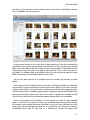
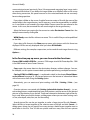
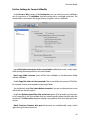
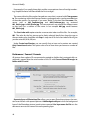
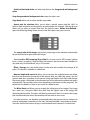
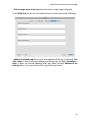
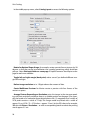
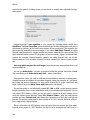
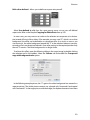
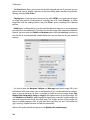
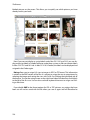
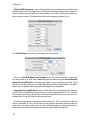
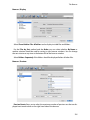
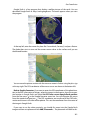
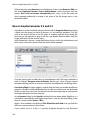
• In the Preferences, you can specify under General / Map whether the current position
where the computer is located should be displayed.
Limit Number of Pins to 100 allows you to avoid speed problems during display.
You can disable use of Google Maps so that generic maps are displayed for which an
Internet connection is not required. This is recommended, for example, when you are
travelling and do not have an Internet connection or if you do not want to receive data
for reasons of cost.
• Mac OS 10.7 Lion now only supports the Carbon library in 32 bit which is why pictures
with less than 8 bit total color depth are always converted into 8-bit pictures upon
opening. If a picture only uses the colors black and white, GraphicConverter will,
however, save these pictures automatically with a color depth of one bit.
• PICT images can be opened. With some images, there can be slight quality losses
depending on the image content. We therefore recommended converting all PICT
format images into PNG format. Start GraphicConverter in 32-bit mode for lossless
conversion. In the Finder, click the GraphicConverter program file and call up the
information dialog with Command-I by selecting 32-bit mode before you start
GraphicConverter. Do not forget to return to 64-bit mode after the conversions.
• GraphicConverter is signed for Gatekeeper. Under Mac OS 10.8 Mountain Lion, you can
specify in System Preferences / Security & Privacy that only programs with
Gatekeeper signature can be installed to increase protection against malware.
• Photoshop-compatible plug-ins can be used if you do not need Photoshop functions.
Install the plug-ins under the path ~/Library/Application Support/GraphicConverter/
Plug-ins.
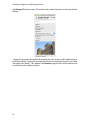
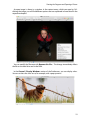
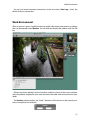
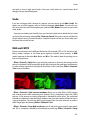
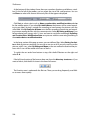
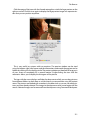
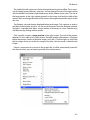
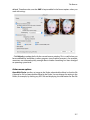
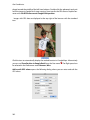
• Under Effect / Channels/Frames, you can use Split Red into Same Window to make
the red channel the picture content. The content of the channel is displayed as a
grayscale image. The other channels are deleted. Split Blue or Green... display the
respective channels. This is useful, for example, to make scanned-in ancient papyri
easier to read with Split Red.
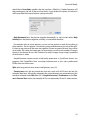
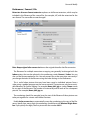
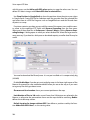
• In the Preferences under General / Misc, you can disable the Use decimal style for
Numbers in Dialogs. The number 1,000.50 will then be displayed as 1000.50.
• Text can be inserted from the clipboard using the menu or Command-V when you use
the text tool.
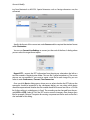
• In the Preferences under Browser / Thumbnails, the Date Style can be set long or
short so that it fits under large or small thumbnails.
• In the Preferences under General / Edit, you can use Disable: Double click for
cropping selection to specify that a double-click in a selection does not crop the
picture. Cropping is then only possible with Return.
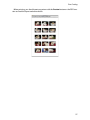
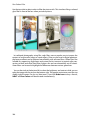
• In the Preferences under Slide Show / Misc, the Screen Mode: Convert 3D to 1080p
frame packing for display option can be used to display 3D pictures that contain
picture parts placed next to each other, for example, in three dimensions on certain 3D
beamers. The two images contained are placed on top of each other. Your Mac’s
300