1
USER MANUAL
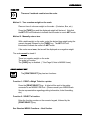
TARE KEY
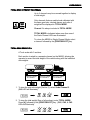
There are 2 methods used to tare the scale:
Method 1: Tare a random weight on the scale.
Place an item of unknown weight on the scale. (Container, Box, etc.)
Press the [TARE] key and the displayed weight will be tared. Note that
the NET LED will illuminate to indicate that the scale is now in NET mode.
Method 2: Manually enter a tare.
With a stable weight on the scale, enter the desired tare weight using the
numeric keypad, followed by the [TARE] key. The NET LED will
illuminate to indicate the scale is in NET mode.
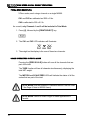
If the scale was at zero, the tare will be displayed as a negative weight.
The scale cannot be tared if:
There is a negative weight on the scale.
The scale is in motion.
The [TARE] key is disabled. (* See Page 2, Note to M2000 Users)
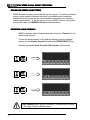
PRINT / SELECT KEY
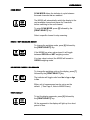
The [PRINT/SELECT] key has two functions:
Function 1: PRINT a Weigh Ticket to a printer.
Press the [PRINT/SELECT] key. A ticket will be sent to the printer
connected to an M2000 COM Port. (Please consult your M2000/Scale
Service representative regarding printing information, ticket formatting,
etc.)
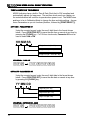
Function 2: SELECT a function.
Enter the function number on the numeric keypad, followed by the
[PRINT/SELECT] key.
See Standard M2000 Functions – Next Section.
7