1
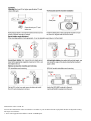
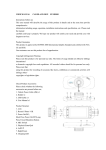
2. Connect AV cable or HDMI cable (optional purchase) to the video equipment and the drive recorder.
3. Connect the home use transformer (optional purchase) to the drive recorder and the house power socket.
4. Adjust the channel of the video equipment to AV or HDMI.
5. Installation completed.
Photo size
Photos resolution can be configured during capture. Higher value means higher resolution and better picture quality.
MENU Button Menu【Photo size】
【3M(2048X1536)】
【5M(2592X1944)】
【8M(3264X2488)】
Menu Operation
Press "Menu" Button active the Menu selection, "OK " button Enter sub-menu and confirm the selection left and right or up and
down button
to select the item .
Video Clip Mode:
Resolution
Video resolution can be configured during recording. Higher value means higher resolution and better picture quality, and the
storage
capacity consumption will be relatively higher.FPS is Frame Per Second during recording. Higher FPS means smoother video.
MENU Button 【Video resolution】
【1920x1080 30P】
【1280x720 60P】 【1280x720 30P】
【640x480 30P】
Date Stamp
Through this function, you can select whether to show time and License plate number and GPS rate information during
recording..
MENU Button 【Stamp】
【On】/【Off】
Record Time
Setting Recycle record can, under limited memory card, repeatedly use the new data to overwrite the old data, in order to
achieve noninterrupted recording result.MENU Button【Record Time】
【2 minute】/【5 minutes】/【10 minutes】/【NO】
*Setting Value. It means saving data every 5 minutes, relatively each cycle will overwrite 5 minutes of old data.
Motion detect
In the view range , if there is any object move, it is detected and trig the car dv begin to record automatically.
MENU Button【Motion detect】
【Off】
【5s】
【10s】
【30s】
【60s】
G-Sensor
When there is a collision, with the help of the changes in XYZ curves, G Sensor or Gravity Sensor can determine the direction
of the collision
and simultaneously set the recorded data to protection mode, and the data will not be overwritten by circulated recording.
Adjust the
sensitivity parameter of XYZ axles. so the drive recorder will not automatically set the data to protection mode.
MENU Button【G-Sensor】
【High】
【Normal】
【Low】【Off】
Contrast
Use to record and take photo, the measurement of different brightness level between the brightness light and the darkness dark
in area of
light & Dark The more the scope, the more the contrast, and vise versa
MENU Button【Contrast】
【Normal】/【Hard】/【Soft】
Sharpness
Use to adjust the image sharpness. when not enough, it can be adjusted more clearer
MENU Button【Sharpness】
【Standard】/【Hard】/【Soft】