1
After you set up your own license plate number, this number can be attached to the recorded video.
Screen save
The DVR time no operating, the screen automatically turns off, press any key to open
MENU 【Screen save】 Off/3 Min /5 Min
Auto Power Off
DVR is powered on but there is no record of the case, will shut down automatically after some time
MENU 【auto power off】 Off/3 Min /5 Min/10 min
Format
This function will delete all data in the memory card including protected data. When the memory card is used for a long time,
too
much data will reduce the access efficiency. This function will optimize the access speed of the memory card.
MENU Button【Format 】
【No】
【Yes】 Press OK Button to process
Default Setting
This function will reset all settings on the drive recorder to default factory settings.
MENU Button【Default Setting】
【No】
【Yes】
Version
View the firmware version of the drive recorder.
MENU Button【Version】
The version number during factory shipment will be considered as the original version.
Preview
Left Previous Clip; Right Next Clip ; OK Play Video
Play
EV
If “EV” is adjusted to + side, you can avoid under-exposure, or dark objects as shooting against a bright background.
If “EV” is adjusted to – side, then you can avoid over exposure, or bright objects as shooting against a dark background or at
night.
At video clip mode , press "down/EV" button change the EV setting , the EV value will be change loop .
【EV】
【-2.0】/【-1.7】/【-1.3】/【-1.0】/【-0.7】/【-0.3】/【0】/【+0.3】/【+0.7】/【+1.0】/【+1.7】/【+2.0】
Mute
At video clip mode , you can disable the audio functional using press "Up/Mute" key .
Playback
Press "Mode" swicht to play back mode .
Thumbnail View
Left/Right/Up/Down to select video files
"OK" Buttion ------- Play Video
"Menu" button ------Delete files/ Copy to nandFlash
Delete files :Delete the single video clip currently selected.
Connecting to PC
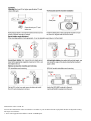
Step 1 : Insert the memory card into drive recorder , and take out the short USB cable provided.
Step 2 : Connect the USB cable with the drive recorder, and connect the other end to the USB port of PC. The red light will
start blinking.
Step 3 : Press and hold the USB switch on the host device for 2~3 seconds to change to USB mode, now the red and blue lights
will start blinking simultaneously.
Step 4 : The computer will show a removable disk, you can use this disk for data access in the memory card.