1
6 INSPECTION AND MAINTENANCE
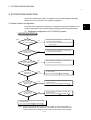
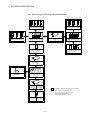
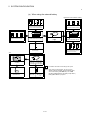
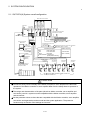
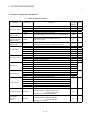
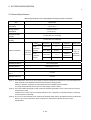
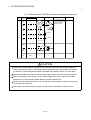
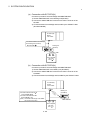
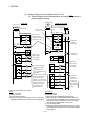
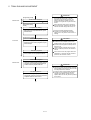
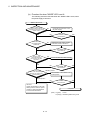
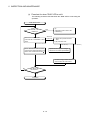
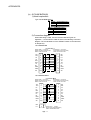
(b) Flowchart for when "MODE" LED is not lit
The following shows the flowchart when the "MODE" LED is not lit, when
the power supply is turned on.
"MODE" LED is not lit
Is the power
supply for all the power
supply modules turned on?
Is the wiring of the power supply
module correct?
Check the wiring and turn on the
all power supply.
NO
NO
YES
Is the LED for
the power supply
module lit?
Replace the power supply module,
and confirm if LED is turned on.
NO
YES
NO
Is the
extension cable
connected correctly?
(Isn't IN- IN or OUT-OUT
connection?)
NO
YES
Can "MODE" LED
be turned on?
Can "MODE" LED
be turned on?
YES
Connect the extension cable correctly.
YES
NO
YES
Can "MODE" LED
be turned on?
Is the CPU module
"RESET" position
of the No.1 and corresponding CPU
Set the RESET/ L.CLR switch in the
RESET/L.CLR switch in the
neutral position.
neutral position?
Neutral position
NO
H/W error
Confirm the operation in the order
starting from the minimum system.
Contact our sales representaitive
for the modules with failure.
Can "MODE" LED
be turned on?
YES
Completion
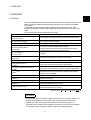
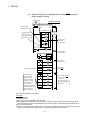
(Note) : Lit (green) : normal
Lit (orange) : Installation ROM writing mode
6 - 14