1
Creating a New Input File
“Entering Well Information Using a Pumping Record”). Pumping records contain daily pumping
rates or monthly pumping volumes and application efficiencies.
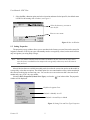
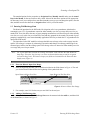
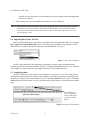
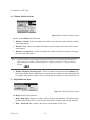
7. For each site, enter the historical CU of groundwater or net recharge data by month and year in the
Historical Data Display area shown in Figure 1, for the period of Historical Start Year through
the Historical End Year. The unit type and year type can be edited using the Properties window,
see “Section 3.2: The SDF Pull-Down Menu”.
Note - The heading above the Historical Data Display lists the name of the well/recharge site and
the current settings for the unit and year types.
1.3.3
Entering Well Information Using a Pumping Record
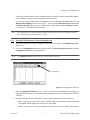
1. Select the irrigation well site by clicking the mouse on the site name in the Well/Recharge Sites
display area.
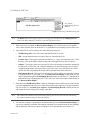
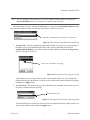
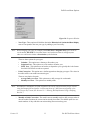
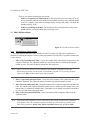
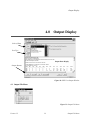
2. Click on the Pumping Record button on the right side of the Well/Recharge Sites display, and the
Pumping Record window will be displayed.
Note - The Pumping Record button is only active for irrigation well sites.
Units Setting
Figure 6: Pumping Record Window
3. Enter the Application Efficiency (0.0 - 1.0), this is a factor that is multiplied by the monthly gross
pumping to get consumptive use amounts from the pumping records. For example enter 0.5 for 50%
efficiency.
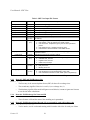
4. Select the discharge measurement units for gross pumping amounts, there are two choices:
•
CFS - Cubic feet per second, enter values for the discharge rate, the number of days of operation
each month, and the application efficiency for each month.
•
Ac-Ft - Acre feet, one foot of water distributed uniformly over one acre of land. Enter monthly
Version 1.2
5
Entering Well/Recharge Data