1
 UTA-HEP/LC 0024, VME DAQ User Manual 2. Open up LabVIEW
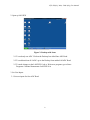
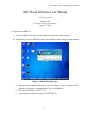
Figure 2: Desktop with Icons
2-1 To read only one ADC Click on the Desktop Icon titled One ADC Read.
2-2 To read data from all 4 ADCs go to the Desktop Icon entitled All ADC Read.
2-3 To make changes to the LabVIEW Code or. Write new programs, go to Start>
Programs> National Instruments>LabVIEW 8.0s
3. Set User Inputs
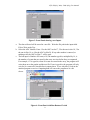
3-1 Set user inputs for One ADC Read.
2