1
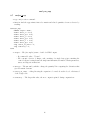
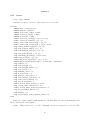
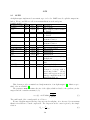
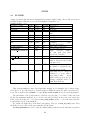
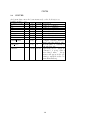
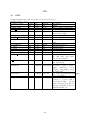
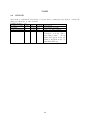
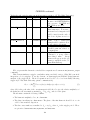
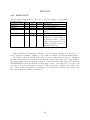
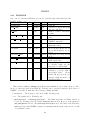
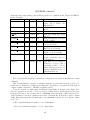
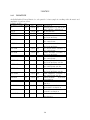
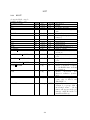
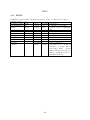
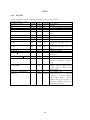
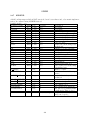
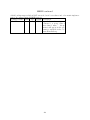
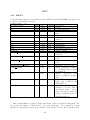
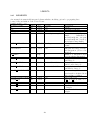
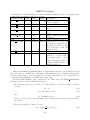
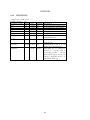
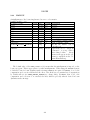
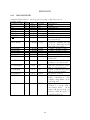
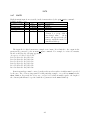
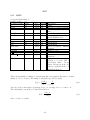
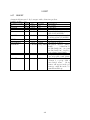
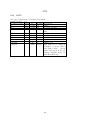
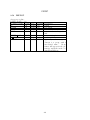
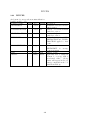
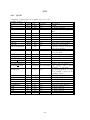
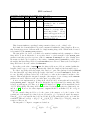
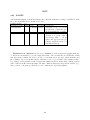
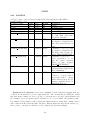
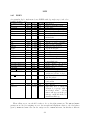
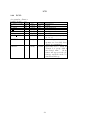
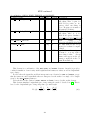
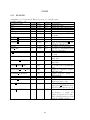
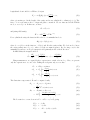
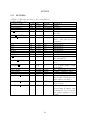
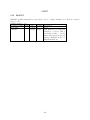
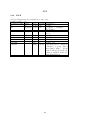
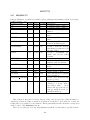
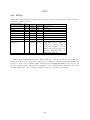
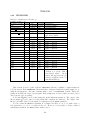
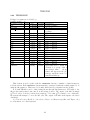
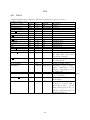
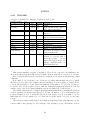
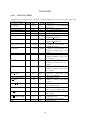
• matrix_order — Specifies the highest order of matrix elements that should be available for
fitting. Elements up to third order are available for the terminal point of the beamline, and
up to secod order for interior fit points. Names for first-, second-, and third-order elements
are of the form Rij, Tijk, and Uijkl.
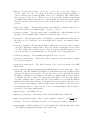
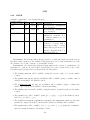
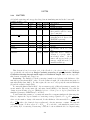
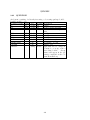
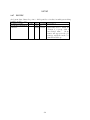
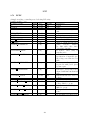
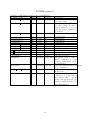
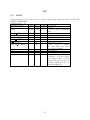
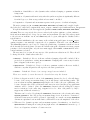
• log_file — A file to which progress reports will be written as optimization proceeds. For
SDDS data, use the final output file from the run_setup namelist.
• term_log_file — This names a file to which the values of the optimization terms are written
at the completion of optimization, which can be convenient when large numbers of terms are
used. For example, by using sddssort one could find which terms are contributing most to
the penalty value.
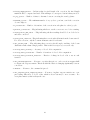
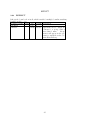
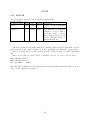
• output_sparsing_factor — If set to a value larger than 0, results in sparsing of output to
the “final” file (see run_setup). This can make a significant difference in the optimization
speed.
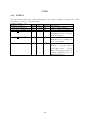
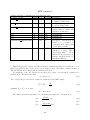
• balance_terms — If nonzero, then all terms of the optimization expression have their weights
adjusted so they make equal contributions to the penalty function. This can help prevent
optimization of a single term at the expense of others. It is performed only for the initial
value of the optimization function.
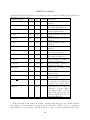
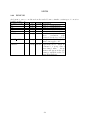
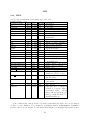
• simplex_divisor — The factor by which simplex step sizes are changed as the optimization
algorithm searches for a valid initial simplex.
• simplex_pass_range_factor — When starting a new pass, the simplex optimizer takes the
range over the previous simplex of each variable times this factor as the starting step size for
that variable. This can be useful if the optimization brings the system close to an instability.
In such a case, the simplex routine may have trouble constructing an initial simplex if the
range of the variables is large. Setting this control to a value less than 1 may help.
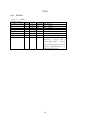
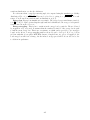
• include_simplex_1d_scans — If nonzero, optimizer performs single-variable scans prior to
starting simplex optimization. This is usually a good idea, but in some cases it will cause
problems. For example, if your design is on the edge of being unstable, you may get some
many errors from the initial steps that the single-variable optimizer can’t continue. Disabling
the single-variable scans will sometimes solve this.
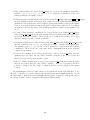
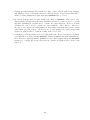
• start_from_simplex_vertex1 — If nonzero, optimizer uses the initial simplex vertex as the
starting point for each new 1d scan. Otherwise, it uses the result of the previous scan.
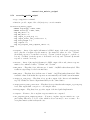
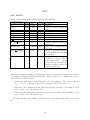
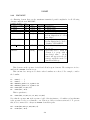
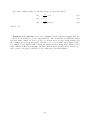
• restart_random_numbers — If nonzero, the random number generators used by elegant are
reset for each evaluation of the optimization function. This is valuable if one is optimizing
tracking results that involve random processes (e.g., ISR or scattering).
62