1
Basic principles
The working criteria of the program is to cyclically read the measures taken by connected multimeters and to
display them in the form of indicators on the PC monitor. Information is grouped in pages that can be
selected by the user during connection. When the software is installed, some already-made pages are
supplied. The user, if needed, will be able to create new customized pages and/or to modify the existing
ones.
Pages can be of two types:
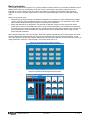
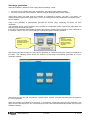
• Pages that groups data coming from different multimeters, for instance to show simultaneously voltage,
current, power etc read from different points of a plant, each controlled by one multimeter. In this case
each indicator displays readings coming from one particular multimeter.
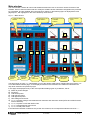
• Pages with indicators not assigned to one particular multimeter, where the user selects from which
multimeter he wants to read data to be shown. In this case it is possible to concentrate many measures
all coming from the same multimeter (the one selected in that moment). With a simple click, the user can
move its attention to another multimeter, and all indicators will be updated with data coming from the
newly selected multimeter.
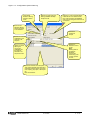
Most common pages are of the second type. When the software is displaying one of these pages, one dropdown list will be shown allowing the user to select the multimeter from which read measurements. In this
case other functions will also be enabled, addressed to the selected multimeter, as for instance the access to
setup parameters, harmonic contents graph, virtual front panel and so on.
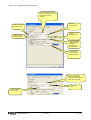
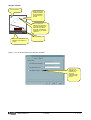
Example of a page with data coming from different multimeters
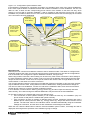
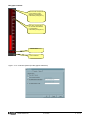
Example of a page filled with data coming from the same multimeter
MSGB105$0500.doc
30.10.2009
P. 5 / 39