1
Appendix 2
Background Information
The ActiveX and Java libraries provide a wrapper around the communications
between the computer and the data server or control unit. This enables you as a
programmer to work at a higher level that the basic communications layer.
The communications between computer and server is over TCP/IP and is all based
on human readable formatted plain ASCII text. The SDK contains full documentation
on this communications protocol, but you can see it in action simply by opening a
telnet-type connection to the server as follows.
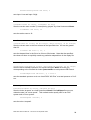
In Windows open a DOS window and at the DOS prompt type the following,
substituting the actual IP address that you wish to connect to.
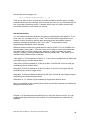
telnet
127.0.0.1
10014
This is the syntax for making a connection to 127.0.0.1 using port 10014.
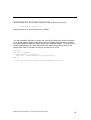
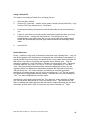
If you connect successfully you will see a response such as
MKSRGA Multi
Protocol_Revision 1.3
Min_Compatibility 1.2
Now you type any one of the ASCII commands (you will not see what you type
echoed to the screen) and press ENTER. The response from the unit will be
displayed.
So, for example, type
Sensors
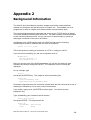
And press the ENTER key. The response will be something like
Sensors OK
State SerialNumber Name
Ready LM76-00101001 “Friendly Name”
Successful responses have the command echoed back with OK, followed by a row of
heading text followed by one or more rows of further data.
If you make a typing error, hit ENTER and start again. You cannot use the
backspace key.
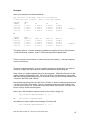
Type (substituting your instrument serial number)
Select lm76-00101001
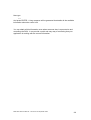
And press ENTER. The response will be
Select OK
SerialNumber
State
LM76-00101001
Ready
MKS RGA SDK User Manual – SP104015.100 September 2005
100