1
SIPLUS CMS X-Tools - User Manual - 01 - Introduction
6.13
SIPLUS CMS
Analyzing of Data via Analyzing Models
6.13.1
General Description
In this chapter you will learn how to analyze data from the MDS Explorer with the Analyzing System via Analyzing Models. An Analyzing Model contains all of the information which is needed in order to perform calculations based on the specified input data. This information includes the order of execution and the parameters of
all to-be-called (Analyzing and User) functions. Multiple Analyzing Models can be started and running simultaneously at any time. In addition, the data which are defined as output data within a started Analyzing Model are
available to all other modules of X-Tools via the MDS Explorer.
Examples of Analyzing Models are found within the example Configuration File location which is being delivered
together with X-Tools.
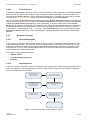
This chapter contains the following topics:
• Creation of a new Analyzing Model
• Opening of existing Analyzing Models
• Starting and Stopping of Analyzing Models
6.13.2
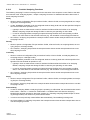
Creation of a new Analyzing Model
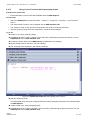
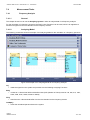
Open the ANS Explorer
• Open the Analyzing System and ensure that the ANS Explorer is displayed at the left side of the Analyzing System workspace.
• Ensure that you have several data available below the “Main -> Servers -> YourServer -> Online Data ->
All Online Data” and “Main -> Servers -> YourServer -> Offline Data -> All Offline Data” branches of the
MDS Explorer.
Functionality
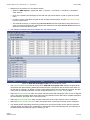
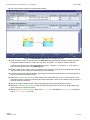
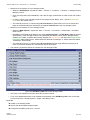
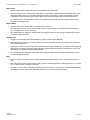
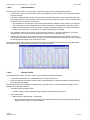
• Method 1 for the creation of a new Analyzing Model:
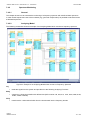
o Within the ANS Explorer, expand the “Main -> Editors -> Analyzing Model Editors” branch.
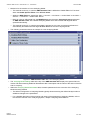
o Drag the AME Standard T001 with the left mouse into the empty space at the right side of the ANS
Explorer. An empty AME Standard T001 is opened automatically.
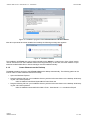
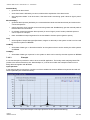
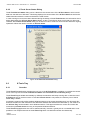
o Press the New button in order to create a new Analyzing Model. The new Analyzing Model is displayed by the AME Standard T001 with default values.
o This method works in all cases, even in case there is no X-Tools Server connected at the moment. It
can be used for the creation and configuration of Analyzing Models for cases where the target XTools Server is not present at the moment.
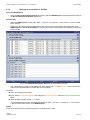
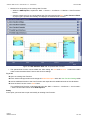
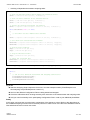
• Method 2 for the creation of a new Analyzing Model:
o This method works only in case the AME Standard T001 is defined as “Default Editor for Functions”
within the Global Options Editor of the X-Tools Client.
o Within the ANS Explorer, expand the “Main -> Servers -> YourServer -> Libraries -> Analyzing Functions” branch.
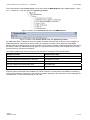
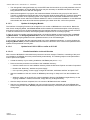
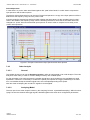
o Expand also the “Arithmetic” branch and drag a below Analyzing Function (e.g. the “Abs()” Analyzing
Function) into the empty Analyzing System workspace. An AME Standard T001 with a default Analyzing Model which also contains the dropped Analyzing Function is opened automatically.
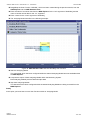
o Instead of an Analyzing Function from the “Main -> Servers -> YourServer -> Libraries -> Analyzing
Functions” branch, also a User Function from the Main -> Servers -> YourServer -> Libraries -> User
Functions” branch can be dragged into the empty Analyzing System.
o This method works only in case the target X-Tools Server is present but it is more convenient and
faster as it automatically also determines the target X-Tools Server of the new Analyzing Model.
English
Release 2012-09
81 / 182