1
Setup
menu
+
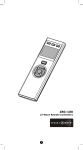
• Press and hold ef keys simultaneously for 3
seconds to enter Setup menu.
• Press BACK key to go back to previous page.
• Press and hold BACK key for 2 seconds to go
back to root menu.
Setup (B1)
Add Device (B2)
Delete Device (B3)
Add to Scene (B4)
Select Scene (B4.1)
Remove fr. Scene (B5)
(remove from scene)
Select Scene (B5.1)
Device Config. (B6)
Device Configure (B6.1)
Scene Config. (B7)
Scene Configure (B7.1)
Comfort Config. (B8)
Comfort Configure (B8.1)
Sensor Config. (B9)
Sensor Configure (B9.1)
Shortcut Key (B10)
Shortcut Key (B10.1)
Advanced Setup (B11)
Learning Mode (B11.1)
Config. Assoc. (B11.2)
Configuration (B11.3)
Reset to Default (B11.4)
System Settings (B12)
LCD Contrast (B12.1)
B.L. Brightness (B12.2)
Sleep Timer (B12.3)
About (B13)
2