1
10
1.1.2.
USB-key protection
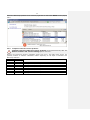
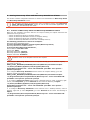
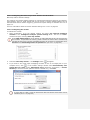
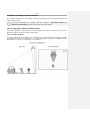
License protection using USB-key consists of two components: a USB-key itself and a license
file. The license file is installed on the same server with the USB-key. One server can use only
one Macroscop software protection USB-key.
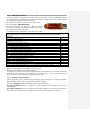
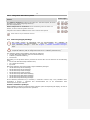
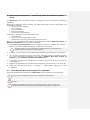
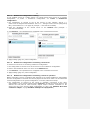
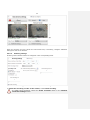
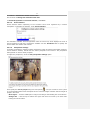
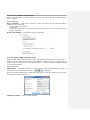
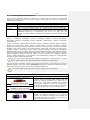
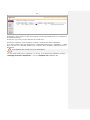
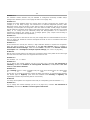
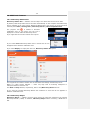
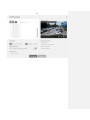
Key series and number are marked on the edge of the
key (for example, 186Z 2B217205.)
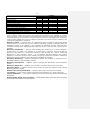
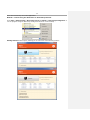
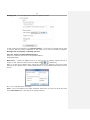
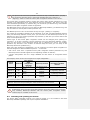
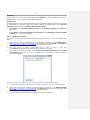
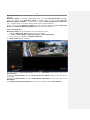
The license file has the extension *.lic and should
conform to the USB-key: number on the key must match
the number in the license file name.
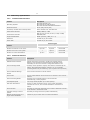
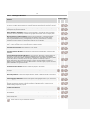
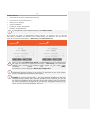
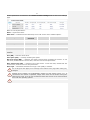
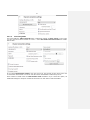
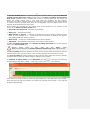
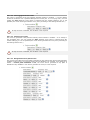
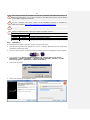
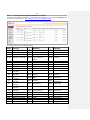
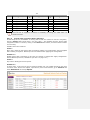
The table shows the explanation of the license file name:
Explanation of the license file name on the example of 2B217205_MC_ST_x64_c100_f100_
s100_a100_p10_fr10_apr10_pcnt10_tr100_crwdcnt10_heat10_queue10_abnd100_
dvr10.lic
Number of the key to be used with the file
2B217205
License type: ML / LS / ST
ST
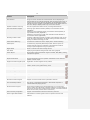
Bit depth: x64 — for 64-bit Macroscop licenses; 32-bit Macroscop license do not have this x64
parameter in the file name
The number of IP cameras (channels):
c — total
100
100
f — with face detection support
100
s — with interactive search support
100
a — with sound support
10
p — with camera control support (PTZ)
10
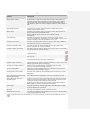
fr — with face recognition support (using base)
10
apr — with license plates recognition support
10
pcnt — with people counting support
100
tr — with tracking moving objects support
10
crwdcnt — with people groups search support (crowd detector)
10
heat — with heat maps support
10
queue — with queue counting support
100
abnd — with left objects detector support
10
dvr — with DVR channel support (reserved)
If any of the quantitative parameters = 0, it is not included in the license file name
If you extend the license (increasing the number of channels, adding features), the USB-key
should not be replaced — just install a new license file.
USB-key is not assigned to a specific computer.
For example, to move a video server from computer A to computer B, you need to remove the
USB-key from the computer A and install it on the computer B — in this case the Macroscop
server software on your computer A will cease to operate.
1.1.3.
Software key protection
License protection using a software key includes the key file assigned to a specific computer.
After activation the key can not be moved to another computer.
The key is assigned to server hardware components (equipment):
On real machines the key is assigned to serial numbers of the system drive and the
motherboard.
On virtual machines the key is assigned to the MAC address, the CPU features and to the
UUID of the virtual machine (the system will run only if all three parameters match.)