1
For SGP
Teachers are verifying the period of enrollment – or when a student was first registered in a class up until
a student is withdrawn. For Roster Verification teachers are validating the month to month linkage with a
group of students based on when those students were enrolled in the course. Students are “Included” for
a given month if they have been registered with a teacher for 10 or more school days in that month.
Students are “Excluded” if they have been registered with a teacher for 9 or fewer school days in that
month.
Top of Document
28. How do I handle students that have moved out of my school?
For Student Survey Purposes
Teachers should delete students from their rosters who have moved or transferred and are no longer
enrolled in the school
For SGP
Students that have moved out of your school do not show up in eSIS for your school. Since the data
loaded into the BFK system came from eSIS, no information on students that left your school before the
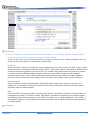
eSIS load date has been preloaded. In general, students should be manually added back to rosters during
school setup using the Add Student search within BFK (this task can be done by the school setup team or
by teachers during roster verification). Since timing information isn’t preloaded for these students,
teachers should be instructed to pay careful attention to correct the enrollment timeframe for these
students before submission. If the school setup team tries to change the enrollment timing information,
the only way to preserve changes is to submit the roster. If not notified in advance, this can be confusing
to teachers because their rosters will appear submitted. See question 29 for more information.
Even if choosing to leave the task of adding missing students back to rosters for teachers to complete,
school setup teams should at least check to make sure that all necessary students are accessible for their
teachers using the Add Student search within BFK. Students that have simply moved to a different HI DOE
school have always been accessible through the Add Student search function. During the school setup
period, students that moved out of the HI DOE (private school, out of state, etc.) must be added by
contacting the Helpdesk as described in the following FAQ: What to do if I need to add students and they
are not found in the Add Student search?
For students that left the HI DOE early in the year, they can be excluded from the roster verification
process only if they have not and will not ever take the HSA. The purpose of this roster verification
process is to track the enrollment of students and connect their enrollment data with their HSA
performance. Given that students sometimes move back into the DOE and take the test later, it is safer to
add those students if possible.
Top of Document
29. Should the school based team “submit” rosters?
For Student Survey Purposes
SBTs must submit the rosters of all classes to be surveyed in order to reach the Confirmation page or
Statement of Accuracy & Completion fields described in the SBTs User Manual p. 13.
For SGP
School based team members are not responsible for submitting rosters except on behalf of long-term
12/3/2013
Roster Verification
13