1
5.2 Sending RS232 Commands
RS232 commands must have the specific form described here. The baud rate of the computer must
match the rate of the display.
Every command must start and end with special
characters.
• Start character: hex 02, which sometimes it
prints as the ☺ character.
• End character: hex 03, which sometimes prints
as the " character.
Between the start and end of an RS232 command,
there are two parts:
• Address: 2 bytes, 00 through FF, hex numbers,
which equal 0 to 255 decimal.
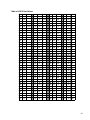
• Command: 3 bytes, text and binary numbers,
listed in ‘RS232 Command List’ on page 94.
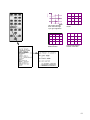
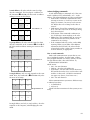
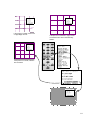
Four types of addresses
The rest of this section does not apply to most Panther
installations, because most Panthers are single units,
and you can safely leave the RS232 address at 00.
The address of each cube is set in the Address
Select menu. Each cube in a system must have a different address.
Normally, all cubes in a system are looped together
for RS232 control, so several separate video walls
may be joined in a single, long, RS232 loop. In such
an arrangement, cubes can be addressed singly, in
small groups, or they can all be addressed together.
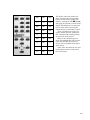
In the following illustrations, all 12 cubes are
strung together in one RS232 loop, so they can all
‘hear ’ the same commands.
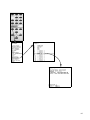
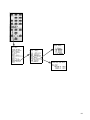
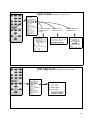
When the command uses a global address, all the
cubes obey the command, regardless of their
addresses. In the command ☺**PON", all cubes in
both video walls turn on their lamps. A ‘*’ is a wild-
90
card and means ‘any.’ (PON is the command to turn
on the lamps.)
00
01
02
03
04
05
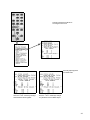
Global address: **
10
11
12
13
14
15