1
scsa2usb(7D)
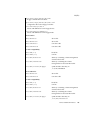
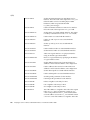
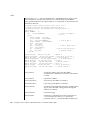
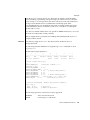
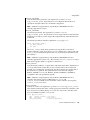
Device is not identical to the previous one on this port. Please disconnect and
reconnect.
Another USB device has been inserted on a port that was connected to a
mass-storage device. Please disconnect the USB device and reconnect the
mass-storage device back into that port.
Disconnected device was busy, please reconnect.
Disconnection of the mass-storage device failed because the device is busy. Please
reconnect the device.
Reinserted device is accessible again.
The mass-storage device that was hot-removed from its USB slot has been
re-inserted to the same slot and is available for access.
Syncing not supported.
While a system is panicking, a file system is mounted on the mass-storage media.
Syncing is not supported by scsa2usb driver.
NOTES
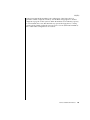
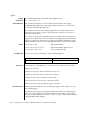
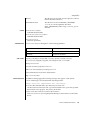
The Zip 100 drive does not comply with Universal Serial Bus Specification 1.0 and
cannot be power managed. Power Management support for Zip 100 has been
disabled.
If the system panics while a UFS file system is mounted on the mass storage media, no
syncing will take place for the mass-storage device. (Syncing is not supported by the
scsa2usb driver.) As a result, the file system on the media will not be consistent on
reboot.
If a PCFS file system is mounted, no syncing is needed and the filesystem will be
consistent on reboot.
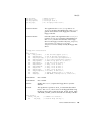
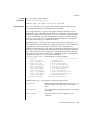
If a mass-storage device is busy, system suspend cannot proceed and the system will
immediately resume again.
Attempts to remove a mass-storage device from the system will fail. The failure will be
logged to the console. An attempt to replace the removed device with some other USB
device will also fail. To successfully remove a USB mass-storage device you must
"close" all references to it.
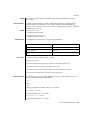
An Iomega Zip 100Mb disk cannot be formatted on an Iomega Zip250 drive. See the
Iomega web site at http://www.iomega.com for details.
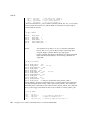
Concurrent I/O to devices with multiple LUNs on the same device is not supported.
Some USB CD-RW devices may perform inadequately at their advertised speeds. To
compensate, use USB CD-RW devices at lower speeds (2X versus 4X). See cdrw(1)
for details.
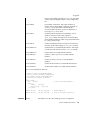
This driver also supports CBI devices that do not use USB interrupt pipe for status
completion.
Device and Network Interfaces
543