1
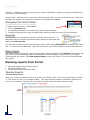
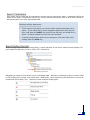
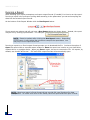
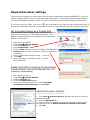
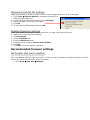
Temporary Internet File Settings Setup your browser to check for newer version of stored pages with every visit to the page. 1. Click Tools Internet Options. Windows will open the Internet Options dialog box. 2. In the Temporary Internet files section click Settings. 3. Select the option Every visit to the page. 4. Click OK. 5. At the Internet Options dialog box click OK. Desktop Resolution Settings Verify your Desktop Resolution is set to Normal so you may view reports correctly. 1. Right click on your Window's Desktop. 2. Click Properties 3. Click the Settings Tab 4. Click the Advanced button. 5. Change the DPI setting to Normal size (96 DPI). 6. Click OK. 7. Click OK to close the Display Properties. Recommended browser settings Set browser text size to medium This is the default setting in Internet Explorer. If you are having problems viewing the reports in the Portal you can check to be sure this option is selected. 1. Click View Text Size Medium.