1
Welcome
The Columbia College WebFOCUS Portal - a flexible, robust and user-friendly reporting solution that keeps data at your finger tips.
The reports accessible through the WebFOCUS Portal replace select statements and paragraphs that you are used to running from XHAL (colon prompt) in Colleague. With the upgrade to R18, XHAL (colon prompt) will not be available so we are embracing the new reporting methods. The new tools expand the reporting capabilities and offer more sophisticated designs to meet your needs. Many reports can be delivered in a variety of formats,
including Excel, HTML, and PDF. The possibilities are endless - you can have tabular reports, visualize your data with colorful graphs and charts and drill down from summaries
to details.
This is an exciting opportunity for Columbia College to bring its reporting practices to the
next level. However we ask you to be patient as it will take time to accommodate all reporting needs. It will be a process of continuous improvement and we look forward to
working with you.
WebFOCUS Help
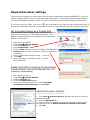
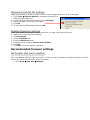
For help with basic understanding and browser set up, please refer to this manual or use
the WebFOCUS Online Training Module. For additional browser setup questions, contact
[email protected].
Please submit all WebFOCUS questions, issues, or requests for new reports to [email protected].
If the question or request is related to an existing report, please include the name of the
report and the Domain location of the report.
Example: The report Active report example for training video, is located under the Public
domain, in the Demo Reports subfolder of Standard Reports.