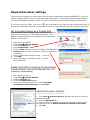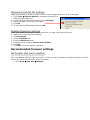
1
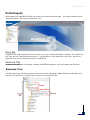
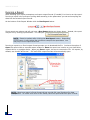
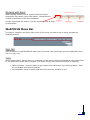
WebFOCUS Portal Working with Excel When opening reports in Excel, please note that multiple worksheets may contain report information. Worksheets are located at the bottom of the Excel Workbook. If many worksheets are present, click the arrows to scroll through all worksheets. WebFOCUS Menu Bar The banner, located in the upper right corner of the screen, provides a way to easily navigate the WebFOCUS Portal. Sign Out Use this button to logoff WebFOCUS when you are finished. You should sign out of the application whenever it is not in use. Tools Opens report Library. Report Library is a repository of the reports that were distributed using Repot Caster, the WebFOCUS report delivery engine. The Report Library is an advanced function of reporting. Deferred Status: View the status of any reports which have been run in deferred status. Must be coordinated with Systems Analyst. Stop Requests: Perform specific searches of the domains available to you. 6