1
7.
8.
9.
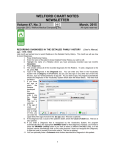
If you are a consultant, and tend to mostly fax letters back to the patient's primary physician, you
can arrange for the Fax Visit window to have the Provider Name field default to the patient's
primary physician (as defined in the Referrals database). To do this, press OPTIONS, then in the
Fax Visits Default box, check Last Referred By.
On the other hand, if you are a primary care physician, and tend to fax letters to consultants
requesting consultations, press OPTIONS, then in the Fax Visits Default box, check Last Referred
To.
Store this note in the Writer by pressing <F10>.
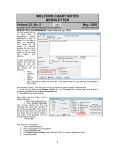
Now, let’s try faxing the same note from the Visiter.
1. Press View\Visiter.
2. Enter the patient’s name.
3. Press View to see the visit.
4. Press GoTo\Fax This Visit. This takes to you the
same Fax Visit screen we saw above from the Writer.
Select the Provider, or enter the fax number, and
press FAX NOW or FAX LATER.
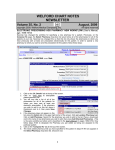
Let’s see how this information is logged in the Fax Log:
1. Press View\Fax Log\Redisplay.
2. If you just want to review faxes for a particular patient,
enter that patient’s name in the Patient box,
otherwise leave it set to ANY.
3. To just focus on Visits, check Visits and uncheck
Prescriptions in the Functions box.
4. If you want to see all faxes for this patient’s visits,
press the ALL button to the right of the Status list. If
you just want to look at faxes that didn’t make it to
their destination, press the All But Completed button
instead (so that you can troubleshoot them; perhaps you entered the wrong fax number by
mistake).
5. Press OK.
If you see that the fax hasn't reached
its destination because you entered
the wrong fax number by mistake,
1. Double-click the fax line in
the Fax Log, or highlight it
and press EDIT
2. Enter the correct fax number
in the Fax Number box.
3. Press REFAX.
4. If instead, you want to stop
attempting to send this fax
(for example, you discover
that the recipient no longer
has a working fax machine),
then press the ABANDON
button instead.
SEND US YOUR TIPS
If you have tips, shortcuts, questions, or suggestions for future newsletter topics, please send them to us at:
Welford Medical Computing, Inc.
or
MEDCOM Information Systems
3779 Hermitage Trail
2117 Stonington Avenue
Rockford, IL 61114
Hoffman Estates, IL 60195
4