1
6.5
CAMERA CALIBRATION
49
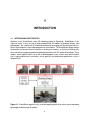
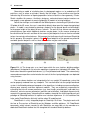
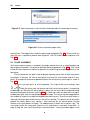
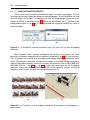
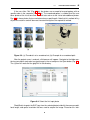
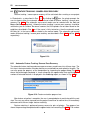
height parameters are identical to those in Sketchup. If the user, for example, selected "meters"
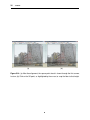
as the current units, the numbers entered for grid step, grid width, and grid height are in meters
as well (Fig. 6.8).
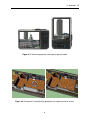
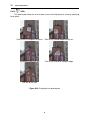
(a)
(b)
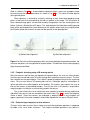
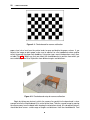
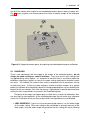
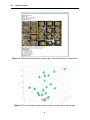
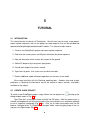
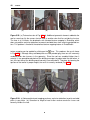
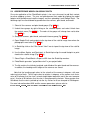
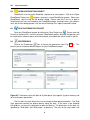
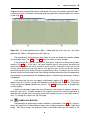
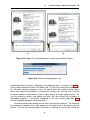
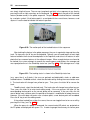
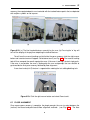
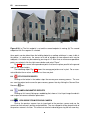
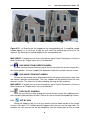
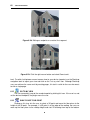
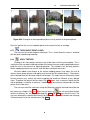
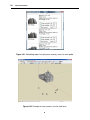
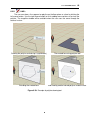
Figure 6.8: (a) A floor depicted with a 200m × 200m grid and a 5m step size. (b) A floor
depicted with a 50m × 50m grid and a 10m step size.
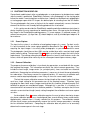
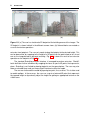
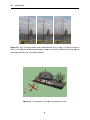
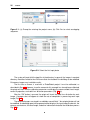
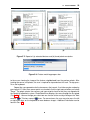
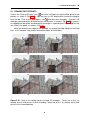
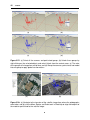
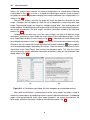
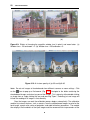
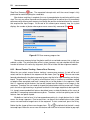
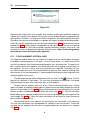
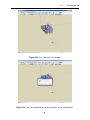
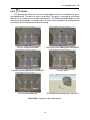
The second tab in the preferences form allows the user to change the magnifier window
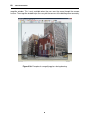
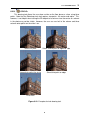
size and zoom factor (Fig. 6.7(b)). Fig. 6.9 shows the effects of these changes.
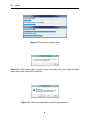
In the third tab, the user can set/clear the "Auto pause" flag for use during camera pose
recovery (Fig. 6.7(c)). If this flag is set, pose recovery pauses after feature extraction and
feature matching to give the user a chance to save the results. Setting this flag is most useful
in those cases where the user may want to save partial results so that the session may be
continued at a future time without having to recompute this data. If, however, the user wishes
to leave the job running unsupervised, then the flag should be cleared so that the computation
may proceed uninterrupted after the webdialog reports issued during camera pose recovery
are updated.
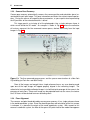
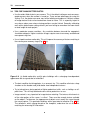
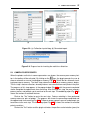
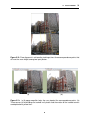
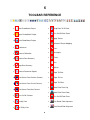
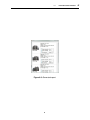
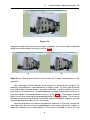
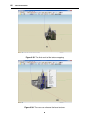
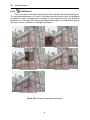
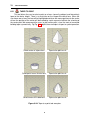
In the fourth tab, the user can specify miscellaneous options (Fig. 6.7(d)). The frustum
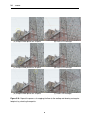
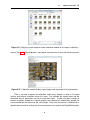
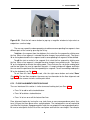
opacity value lies in the [0, 1] range, with the default value being 0.65. A value of 0 (1) denotes
a fully transparent (opaque) photo in the frustum. Fig. 6.10 shows the effect of changing the
frustum opacity.
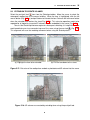
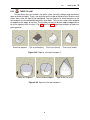
Another miscellaneous option the user can control is the number of segments for generating arcs and circles. A higher number of line segments causes the extrusion operation to
generate many narrow slabs, which can increase the number of faces in the model unnecessarily. Try to keep this value in the [10, 36] range.
6.5
CAMERA CALIBRATION
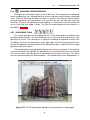
The procedure for performing camera calibration is described in Sec. 4. This stage requires the acquisition of checkerboard images from multiple viewpoints using a single focal
length. After these images are acquired, create a new folder and store the images in the
49