1
SC1602A—16x2 Characters RS232 LCD Display
User’s Manual
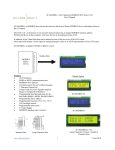
SC1602A is an intelligence LCD Module designed to
ease project development that requires a LCD display.
It receives serial data via the RS232 port and display
the data accordingly.
Available in Blue and Yellow Green LED Backlight.
Standard version works on 5V DC supply.
Wide input version has a onboard voltage regulator
that accept 9 to 15VDC input.
Hardware Connection
SC1602A Back View
Communication
RS232 connection to the host. 8 Data bits, No parity, 1 Stop bit.
Baud rate is programmable : 9600bps * or 19200 bps
85 bytes Receive Buffer eliminates the need of delay between command.
* Factory Default
Displaying ASCII texts
SC1602A displays whatever ASCII characters it receives from the RS232 port.
Sending “ LCD DEMO” to the LCD to display “LCD Demo” on the screen.
If the number of characters send is more than 16, it will wrap to the next line.
Supported characters is listed below.
www.siliconcraft.net
SC1602A—16x2 Characters RS232 LCD Display
User’s Manual
Supported ASCII Characters
Control Characters
HEX
0x08
0x0B
0x0C
0x0D
0x0E
0x0F
Decimal
8
11
12
13
14
15
Function
Backspace ( Move Cursor one position to the left and delete the character )
Cursor Home ( Move Cursor to Row 0,Column 0 LCD screen unchanged )
Next Line (Move Cursor to the beginning of the next line )
Clear Screen (Clear and move cursor to Row 0,Column 0)
Move cursor one position to the left
Move cursor one position to the right
www.siliconcraft.net
SC1602A—16x2 Characters RS232 LCD Display
User’s Manual
User’s Defined Characters
Other than the standard ASCII characters, user’s can define up to 8 characters stored in the non-volatile memory.
Each character consists of 8 bytes of bitmap data.
For example:
Up arrow symbol on the right is represented by 8 bytes
bitmap
0x04 0x0E 0x1F 0x04 0x04 0x04 0x04 0x04
To use the custom characters, first define the characters by sending command
[0xFE] [0x64] [ 64 bytes of bitmap data ]
Then load the characters by command
[0xFE] [0x08]
User can display the custom characters by sending
HEX
DEC
0x00
0x01
0x02
0x03
0x04
0x05
0x06
0x07
0
1
2
3
4
5
6
7
Custom
Custom
Custom
Custom
Custom
Custom
Custom
Custom
Character
Character
Character
Character
Character
Character
Character
Character
1
2
3
4
5
6
7
8
Cursor Control
By default, cursor is hidden. To show cursor send command
[0xFE][0x01]
for underlined cursor
[0xFE][0x02]
for block blinking cursor
To hide the cursor send command [0xFE][0x03]
www.siliconcraft.net
SC1602A—16x2 Characters RS232 LCD Display
User’s Manual
Cursor can be move to any position by
Command
[ 0xFE ] [0x32][row number][column
number]
Row/Column Delete
Text on row of column can be independently deleted
[0xFE][0x2D][row number]
to delete desire row
[0xFE][0x2E][column number] to delete desire column
Cursor points to the next row/column after these command
LCD backlight control
Turn On
Turn Off
Set brightness
[0xFE][0x06]
[0xFE][0x07]
[0xFE][0x28][level]
where level is 0 to 254
Backlight is turn on upon power up. Brightness level is set at 155 by default
Startup Screen
The LCD can be programmed to display a startup screen every time it powered up.
If the startup screen is not defined, the LCD is blank upon power up. This is factory default.
To define startup screen use command:
[0xFE][0xC8][row 0 text][0x0D][row 2 text][0xFF]
Row 0 and Row 1 text must be 16 characters max.
To erase startup screen send command
[0xFE][0x15]
www.siliconcraft.net
SC1602A—16x2 Characters RS232 LCD Display
User’s Manual
Defined startup screen can be recalled and put on screen at any time by command
[0xFE][0x16]
Horizontal Bar Graph
Bar graph as illustrated on the right is can be easily
drawn by the horizontal bar graph command.
To draw a horizontal graph:
1.
Invoke the graph utility by command [0xFE][0x04]
2.
Move the cursor to the start location
3.
Draw the graph
[0xFE][0x2B][length]
to draw the graph from left to right
Or
[0xFE][0x2C][length]
to draw the graph from right to left
Note that maximum graph length is 80 and minimum 1
Graph utility and custom characters cannot be used at the same time.
General Purpose Input/Output Port
3 Inputs and 3 Outputs is available onboard via P2 header
Input port is marked as I1,I2,I3
Output port is marked as O1,O2,O3
Inputs are internally pulled up.
To read its status ; send command
[0xFE][0x0A]
LCD response with [input] byte where the 3 LSB bit is I1,I2,I3 status
Outputs is 3.3V high level and 0V low level with maximum current of
20mA each.
Output is set with command
[0xFE][0x2F][output]
www.siliconcraft.net
SC1602A—16x2 Characters RS232 LCD Display
User’s Manual
Output Value
I3
I2
I1
0
LOW
LOW
LOW
1
LOW
LOW
HIGH
2
LOW
HIGH
LOW
3
LOW
HIGH
HIGH
4
HIGH
LOW
LOW
5
HIGH
LOW
HIGH
6
HIGH
HIGH
LOW
7
HIGH
HIGH
HIGH
Changing the baud rate
Set to 9600 bps
[0xFE][0x1E]
Set to 19200 bps [0xFE][0x1F]
Remember Setting
Changes to the baud rate, LCD backlight level, custom characters bitmap and startup screen can be
stored in the non-volatile memory by command
[0xFE][0x14]
Settings will revert to the previous settings if this command is not send after all changes is made.
Application Software
SC1602A-App Software is available on www.siliconcraft.net/download.htm
For testing and setting the LCD module.
Supported OS : Windows 98, XP , Vista
www.siliconcraft.net
SC1602A—16x2 Characters RS232 LCD Display
User’s Manual
Command Summary
Function
Code (HEX)
Code (Decimal)
Underlined Cursor
0xFE 0x01
254, 1
Block Blinking Cursor
0xFE 0x02
254, 2
Hide Cursor
0xFE 0x03
254, 3
Invoke Graph Utility
0xFE 0x04
254, 4
Backlight On
0xFE 0x06
254, 6
Backlight Off
0xFE 0x07
254, 7
Load Custom Characters
0xFE 0x08
254, 8
Read Inputs
0xFE 0x0A
254, 10
Remember Settings
0xFE 0x14
254, 20
Erase Startup Screen
0xFE 0x15
254, 21
Show Startup Screen
0xFE 0x16
254, 22
Set baud 9600
0xFE 0x1E
254, 30
Set baud 19200
0xFE 0x1F
254, 31
0xFE 0x28 [level]
254, 40, [level]
Left to Right Graph
0xFE 0x2B [length]
254, 43, [length]
Right to Left Graph
0xFE 0x2C [length]
254, 44, [length]
0xFE 0x2D [row number]
254, 45, [row number]
0xFE 0x2E [column number]
254, 46, [column number]
0xFE 0x2F [output]
254, 47, [output]
0xFE 0x32 [row] [column]
254, 50, [row], [column]
0xFE 0xC8 [row 0 text] 0x0D [row 1 text] 0xFF
254,200,[row 0 text],13,[row 1 text], 255
Set Backlight Brightness
Clear Row
Clear Column
Set Output
Set Cursor Position
Define Startup Screen
www.siliconcraft.net
SC1602A—16x2 Characters RS232 LCD Display
User’s Manual
Specifications
Operating Temperature
Storage Temperature
Operating Relative Humidity
0ºC to 50ºC
-10ºC to 60ºC
90% max non-condensing
Operating Voltage ( Standard )
Operating Voltage (Wide Input)
min 4.5V
min 9.0V
typ. 5V
typ. 12V
Supply Current ( Standard )
10mA ( backlight off )
80mA ( backlight On )
Supply Current (Wide Input )
20mA (backlight off)
30mA (backlight on)
LCD Viewing Direction
Number of Characters
Character Size
Module Size
Viewing Area
6 o’clock
16 x 2
2.95mm x 4.35mm
80mm x 36mm x 32mm
65mm x 15mm
SC1602A Side View
www.siliconcraft.net
max 5.5V
max 15V
SC1602A—16x2 Characters RS232 LCD Display
User’s Manual
Mechanical Dimension
Available Accessories
Character Size
Aluminum Mounting Kit
www.siliconcraft.net
SC1602A—16x2 Characters RS232 LCD Display
User’s Manual
Mounting Kit Dimension ( mm )
Thickness 1.5mm
www.siliconcraft.net