1
6. Set the analyser
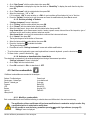
LIGAZ software allows to set the analyser. It is possible to :
• set the combustibles
• set the references (O2, Altitude, atmospheric pressure)
• set the operators
• get details about sensors
• set date and time
• set the header of printing
• see the battery level
• get information about the analyser, update it and send report to after-sales service
➢ Connect the analyser to the computer with the supplied USB cable.
➢ Connect the analyser on main power thanks to the supplied adapter to avoid extinguishing of the analyser (low
battery).
➢ Click on “KIGAZ” in the menu bar.
➢ Go down to “Setting” then click on the parameter to modify.
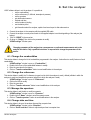
“KIGAZ settings” window opens.
Changing parameters of the analyser has consequences on performed measurements and on the
analysis calculation. Only a qualified technician is empowered to change the parameters of the
device.
6.1. Change the combustibles
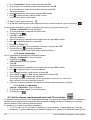
This window allows to change the list of combustibles programmed in the analyser. It also allows to modify features of each
combustibles.
“KIGAZ settings” window is open on “Combustibles”.
➢ Double-click on one of the combustible features to modify.
➢ Enter the new value for the feature.
➢ Click on “Transfer combustibles” button to send modifications to the analyser.
6.2. Change the references
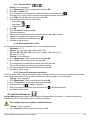
This window allows to modify the O2 reference (oxygen level in which the analyser is used), altitude (altitude in which the
analyser is used) and atmospheric pressure (pressure in which the analyser is used).
“KIGAZ settings” window is open on “References”.
➢ Click on the field to modify.
➢ Enter the new value.
➢ Click on “Transfer references” button to send modifications to the analyser.
6.3. Manage the operators
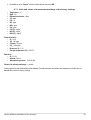
This window allows to add, delete or modify an operator.
“KIGAZ settings” window is open on “Operators”.
➢ Double-click on “Name” column to enter the operator name.
➢ Click on “Transfer operators” button to send modifications to the analyser.
6.4. Change date and time
This window allows to de sync the analyser time and the computer time.
“KIGAZ settings” window is open “Date/time”.
➢ Click on “Set to local time” button to adjust analyser time to computer time.
Set the analyser
51