1
4. Unload inspections
Inspections stored in the analyser can be unload on the computer :
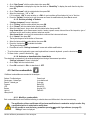
➢ Connect the analyser to the computer thanks to the supplied USB cable and turn on the analyser.
➢ Launch Ligaz software.
➢ Connect the analyser to the LIGAZ software clicking on “Kigaz” menu then click on “Connect device”.
The software indicates that connexion is successful.
➢ Click on “Kigaz” menu then on “Unload kigaz”.
The software recovers inspections contained in the analyser. This operation can take a few minutes.
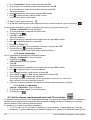
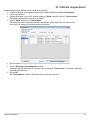
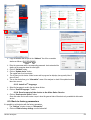
At the end of the recovery, the following window is displayed :
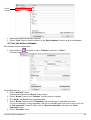
➢ Tick the corresponding boxes to the inspections to unload on the computer.
➢ Click on “Download selected inspections” button.
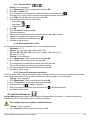
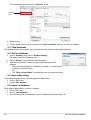
A message indicates that transfer is in progress then the message “Transfer done” is displayed : inspections
have been well transferred.
➢ Click on OK.
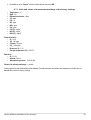
The “Total database” window is displayed with the transferred inspections.
Unload inspections
47