1
LIGAZ SOFTWARE
1. Introduction........................................................................................................................................44
2. Software installation..........................................................................................................................44
2.1. Recommended minimum configuration.....................................................................................44
2.2. Installation..................................................................................................................................44
3. Start with the software.......................................................................................................................45
3.1. Meaning and functions of the menus bar (1).............................................................................45
3.2. Meaning and functions of tool bar buttons (2)...........................................................................46
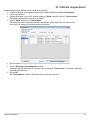
4. Unload inspections............................................................................................................................47
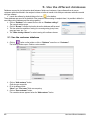
5. Use the different databases..............................................................................................................48
5.1. Use the customer database.......................................................................................................48
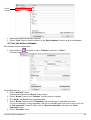
5.2. Use the boilers database...........................................................................................................49
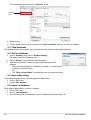
5.3. Total database............................................................................................................................50
5.4. Set the database........................................................................................................................50
5.5. Save while using........................................................................................................................50
5.6. Import a database......................................................................................................................50
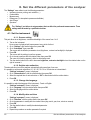
6. Set the analyser................................................................................................................................51
6.1. Change the combustibles..........................................................................................................51
6.2. Change the references..............................................................................................................51
6.3. Manage the operators................................................................................................................51
6.4. Change date and time................................................................................................................51
6.5. Sensors state.............................................................................................................................52
6.6. Battery level...............................................................................................................................52
6.7. Set printings...............................................................................................................................52
6.8. Access to information about the instrument and update the instrument...................................52
6.8.1. Access to information about the instrument.......................................................................52
6.8.2. Update the instrument........................................................................................................52
a) The Internet connection is not protected by a proxy............................................................52
b) The Internet connection is protected by a proxy..................................................................52
6.8.3. Install a 3rd language.........................................................................................................53
6.8.4. Send a report of the device to the After-Sales Service......................................................53
6.9. Back to factory parameters........................................................................................................53
7. Options..............................................................................................................................................54
7.1. Interface.....................................................................................................................................54
7.2. Email..........................................................................................................................................54
7.3. User information.........................................................................................................................54
7.4. Change the language.................................................................................................................54