1
CITATIONS GROUP
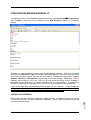
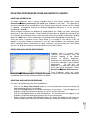
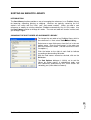
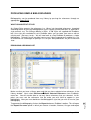
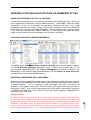
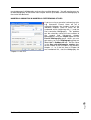
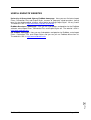
A number of functions are available via the Insert Citation dropdown menu. The Insert Citation
Find Citation… command is
used to search for references to select and insert as in-text
citations in your Word document. Insert Citation
Insert Note
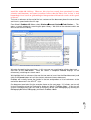
adds custom text citations to your Word document. The Insert
Citation
Insert Selected Citations command inserts a citation for each reference
currently selected in the open Library (you can insert up to 50 consecutive in-text citations).
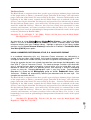
The Insert Citation
Find Figure… command searches for an EndNote reference that
contains a figure and inserts that figure or table citation in your Word document.
The Go to EndNote command brings EndNote to the front of your screen. This command
will launch the EndNote program if it is not already running.
The Edit Citation(s) command is used to edit existing citations. Using this command you
can omit the author and/or year from author-date style citations or add prefix or suffix text
(such as page numbers) to author-date style citations. Once you have inserted a citation
into the text of a Word document any subsequent editing of that citation must be done
through the ‘Cite While You Write’ function or through EndNote itself. If there is an error, say
a spelling mistake, in the text of the reference don’t correct this using Word. Go to EndNote,
correct the error in the reference in the EndNote Library and then reformat the bibliography.
The Edit Library Reference(s) command enables you to highlight an in-text citation and
directly edit the corresponding reference in the linked EndNote Library.
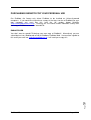
BIBLIOGRAPHY GROUP
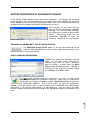
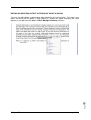
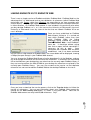
The Style: drop-down list allows you to select an Output Style
to (re)format your document according to the rules of the
selected style. The style showing here is that used by the
journal Sedimentary Geology.
The Update Citations and Bibliography command reformats your document according to
the rules of the Output Style showing in the Style: drop-down list. The formatting process
replaces the temporary citations in your paper with formatted citations and builds the
bibliography at the end of the document. This command also updates your figure and table
citations plus the formatted figures and tables found within the body of the document or in a
list at the end of the document.
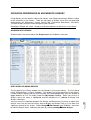
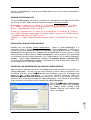
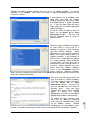
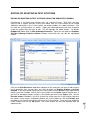
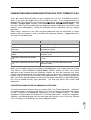
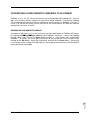
A number of functions are available from the Convert Citations and Bibliography dropdown list.
The Convert Citations and Bibliography
Convert to Unformatted Citations command
either unformats a selected citation before editing or unformats the whole document. This
removes style formatting for the selected citations leaving temporary citations which usually
consist of the author’s last name, the year, and the EndNote Library record number
surrounded by delimiters, {}. If you unformat the in-text citations you must use the Update
Citations and Bibliography command (see above) to format the paper again.
EndNote X5
August 2011
Page
Convert Citations and Bibliography
Convert Word 2007 Citations to EndNote
converts any Word 2007 citations in the document to EndNote ‘Cite While You Write’
citations.
36
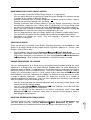
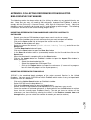
The Convert Citations and Bibliography
Convert to Plain Text command saves a copy
of your document without ‘Cite While You Write’ field codes. The formatted citations and the
bibliography are saved as text.