1
Configuring the Instrument
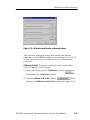
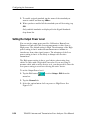
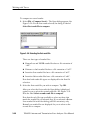
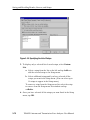
3. To display a list of the available color schemes, tap the Color
Scheme list box. Available color schemes are Indoor Viewing,
Outdoor Viewing, Dark on white, Monochrome grays, and Black
on White for Printer.
4. To select a color scheme, tap the name of the desired color
scheme.
5. To change the Windows CE display properties, tap Take Me
There. This displays the Windows CE Display Properties
window, where you can set the display background and window
color scheme.
6. Tap OK to save changes.
7. To view the changed color scheme, quit the YBA250 program
and restart it.
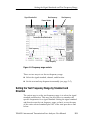
Display Trace Smoothing
For DTF and Insertion Gain/Loss measurements, when increasing
the Start distance, decreasing the Stop distance, or reducing the
frequency measurement range, the graph trace may become ”blocky”
because there are fewer data points to display. You can use the
View > Smoothing command to smooth the displayed trace between
data points.
You can also set trace smoothing as the default for DTF and
Insertion Gain/Loss measurements by selecting Smooth Waveform
as needed for DTF and Insertion on the Setup > General tab.
When a measurement has less than 128 data points, the YBA250
automatically applies the smoothing function to the trace.
Changing Settings for Saved Files
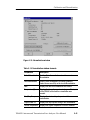
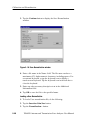
The YBA250 enables you to specify settings for saved files such as
prefixes for filenames, the name of a technician making a test, notes
to be included in saved results files, and the default format for
exported screens.
2- 58
YBA250 Antenna and Transmission Line Analyzer User Manual