1
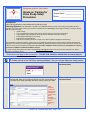
9. Link Your Enrolled Patients to the Study Calendar.
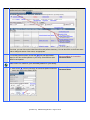
This links all forms in your study calendar to your patient. Therefore the Patient ID will automatically be associated
with each form.
Check mark/Date of Completion
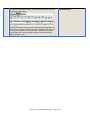
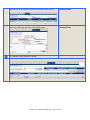
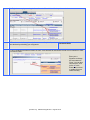
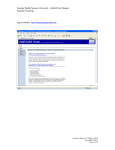
A. From My Homepage, click on the
icon and then click on the
Comments/ Notes
patient study ID link of one of the patients whom you’ve enrolled in
your study.
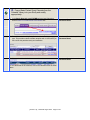
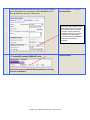
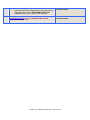
B. To link an enrolled patient to the study Calendar, click on the
Edit/Calendar/Date link to select the protocol calendar in your study and
designate a patient start date.
Check mark/Date of Completion
Comments/ Notes
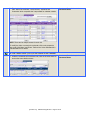
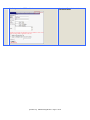
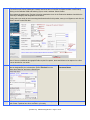
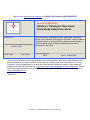
Then, generate a patient schedule by completing/saving the following
data entry screen:
Be sure to select a Date from the Calendar to designate this patient’s
DAY1 date, which is the date from which the entire schedule for this
patient will be generated.
[Version 5.0]
Released August 2010 Page 18 of 23