1
G E E V S
S E R V E R
&
C L I E N T
Chapter
1
Introduction
The GeeVS™ range of Clip Servers offers configurations from simple single Channel units up to
multi-Channel systems using GaSSS™ (Gee-Advanced-Shared-Storage-Solution) SAN fibre Channel
storage in a multi-workstation environment. The system uses the Windows™ NT/2000/XP platform
and Matrox® DigiSuite™ hardware.
Operational control is provided by the GeeVS™ Client Software User Interfaces running on the host
Server, remotely over a network, via the Internet or by means of the GeeVS™ Shotbox control panel.
The system may also be operated by automation systems from various manufacturers using ethernet or
serial connection using protocols such as Sony® RS422 or Louth®
This User Manual details the operational procedures available using the GeeVS™ Client Software User
Interface and the GeeVS™ Shotbox. Information on operation from an automation system will be
available from the suppliers of that automation system. The GeeVS Administrator, which configures
the system, is also covered in this Manual, see chapter 12.
Whilst most of the operational functions of the GeeVS™ Software Interface are intuitive, it is in the
interests of the user to familiarise themselves with the content of this Manual to obtain the quickest
route to maximum productivity with the system.
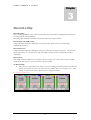
Within this Manual, all visual references will be taken from a four Channel GeeVS™. This serves to
illustrate all functions, and specific references to other configurations will be clearly indicated.
A separate manual covers GeeVS version 1.
2