1
Servicing
Service Locations
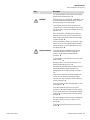
Do not wipe the LCD polarizing plate with a dry cloth, as it may easily
scratch the plate. ▲
Do not use alcohol, acetone, MEK or other Ketone based or aromatic
solvents to clean the LCD module, but rather use a soft cloth moistened
with a naphtha cleaning solvent. ▲
Do not place the LCD module near organic solvents or corrosive gases. ▲
Do not shake or jolt the LCD module. ▲
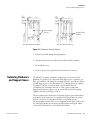
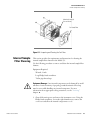
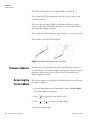
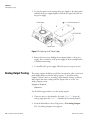
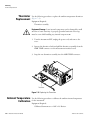
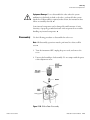
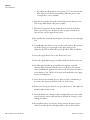
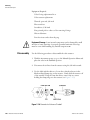
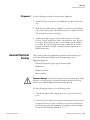
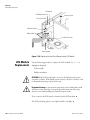
1. Turn the instrument OFF, unplug the power cord, and remove the
cover.
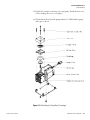
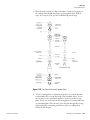
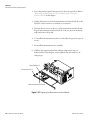
2. Disconnect the ribbon cable and the two-wire connector from the front
panel board.
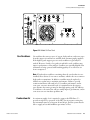
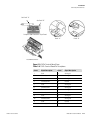
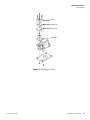
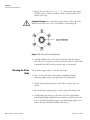
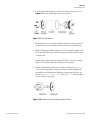
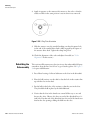
3. Remove the four screws at the corners of the LCD module.
4. Slide the LCD module out towards the center of the instrument.
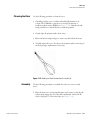
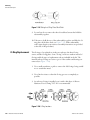
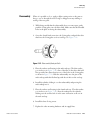
5. Replace the LCD module by following the previous steps in reverse.
Note The optimal contrast will change from one LCD screen to another.
After replacing the LCD screen, the contrast may need to be reset. If the
content on the screen is visible, select Instrument Controls > Screen
Contrast and adjust the screen contrast. If the content on the screen is not
visible, use the “set contrast 10” C-Link command to set screen constrast to
mid range, then optimize the contrast. See the “C-Link Protocol
Commands” appendix for more information on this command. ▲
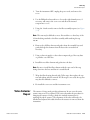
Service Locations
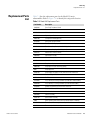
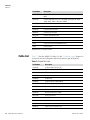
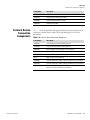
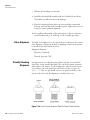
For additional assistance, service is available from exclusive distributors
worldwide. Contact one of the phone numbers below for product support
and technical information or visit us on the web at www.thermo.com/aqi.
1-866-282-0430 Toll Free
1-508-520-0430 International
Thermo Fisher Scientific
Model 55i Instruction Manual
7-61