1
Table of Contents
What’s New This Version ...................................................................................................... 1
Getting Started........................................................................................................................ 3
Manual Organization....................................................................................................................................................3
Conventions used in this manual..................................................................................................................................3
A Brief Description ................................................................................................................. 3
Typical Architecture.....................................................................................................................................................3
FIN Client.....................................................................................................................................................................4
Summary of FIN Features:.................................................................................................... 6
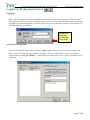
Login/User Management Screen ........................................................................................... 7
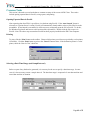
Logging In ....................................................................................................................................................................7
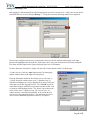
Accessing User Management .......................................................................................................................................7
Adding and Deleting Users ..........................................................................................................................................8
Access Levels...............................................................................................................................................................9
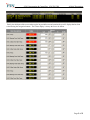
Live Screen ............................................................................................................................ 10
Setting and Editing Alarm Limits (Software Only Alarms).......................................................................................11
Alarm Window...........................................................................................................................................................12
System/System Data Points........................................................................................................................................12
Trend Screen ......................................................................................................................... 13
Adding Pens Using Quick Pen ...................................................................................................................................14
Adding Pens Using Custom Pen ................................................................................................................................15
Pen Range...................................................................................................................................................................15
Editing Pen Properties................................................................................................................................................16
Viewing Alarm Limits ...............................................................................................................................................16
Trend and Pen Notes ..................................................................................................................................................17
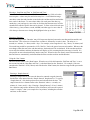
Adjusting the Trend Time Range ...............................................................................................................................19
Custom Pan Time Increment Button ..........................................................................................................................21
Saving and Opening Trends .......................................................................................................................................22
Scooters ......................................................................................................................................................................23
Using Dual Scooters...................................................................................................................................................24
Real-Time Trends.......................................................................................................................................................25
Exporting Trend Data as CSV....................................................................................................................................25
Printing.......................................................................................................................................................................25
Export Screen........................................................................................................................ 26
Selecting a Date/Time Range and Sample Interval....................................................................................................26
Adding Data Points ....................................................................................................................................................26
Removing Data Points................................................................................................................................................26
Executing the Report..................................................................................................................................................27
Exporting Data to CSV ..............................................................................................................................................27
Opening and Saving Files ..........................................................................................................................................27
Printing.......................................................................................................................................................................27
Alarm History Screen........................................................................................................... 28
Viewing Alarms .........................................................................................................................................................28
Alarm History Event List Format...............................................................................................................................28
Exporting Data to CSV ..............................................................................................................................................29
Printing.......................................................................................................................................................................29
Reports Screen ...................................................................................................................... 30
Report Types ..............................................................................................................................................................30
Date and Time Range Specification...........................................................................................................................30
Defining an Event Trigger..........................................................................................................................................30
Exporting Data to CSV ..............................................................................................................................................31
Printing.......................................................................................................................................................................31
Page ii of 51