1
©2011 Automation & Control Inc. 856-234-2300
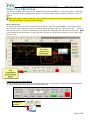
Show as Icon
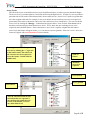
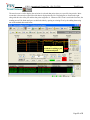
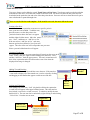
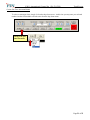
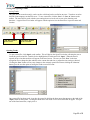
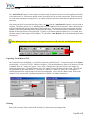
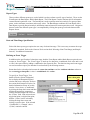
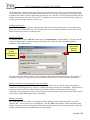
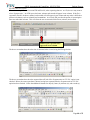
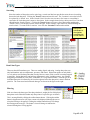
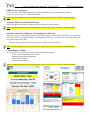
To save space on the trend, the user can choose “Show as Icon” from the
pop-menu. This reduces the note box to a small icon. In order to view
the note, double-click the icon and the note will appear in its larger format.
(Remember, in order to access the pop-up menu, right-click the locked
note or click the down arrow on the right side of the caption bar.)
Trend Screen
Show
as Icon
Icon to indicate
note
Note Caption
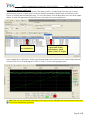
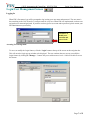
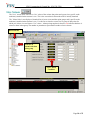
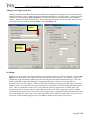
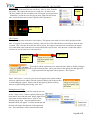
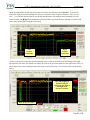
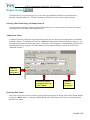
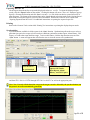
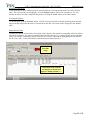
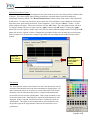
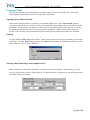
The top colored portion of the note is the Caption. The caption can be used as a title or brief description of the
note. If a caption is not entered for a pen note, a time will be visible when the note is not locked or when the note
is moved. This is the time where the note will be placed. If a caption is not entered for a trend note, the caption
will remain blank since trend notes are not associated with a specific time. Once the note is locked, the caption
will have an icon of a lock on it, as shown below:
Caption bar
Indicates that
the note is
locked
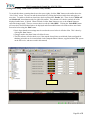
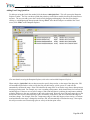
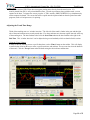
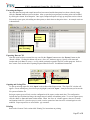
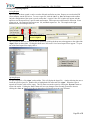
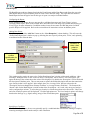
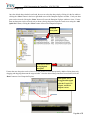
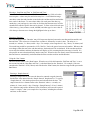
In order to edit the caption on a note, unlock the note, either by double-clicking or
by right-clicking the note. Move your mouse to the caption area and right-click.
A pop-up menu will be displayed with an option to “Edit Caption”.
When “Edit Caption” is selected, your cursor will appear in the caption window
and a new caption can be added. Once the caption is added, click in the note box
to finish editing the caption. Finally, lock the note again by double-clicking
the note or right-clicking and selecting “Lock Note”.
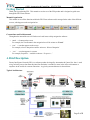
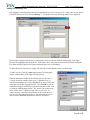
Finding Notes on Trends
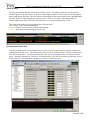
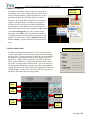
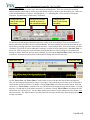
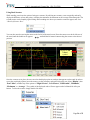
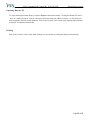
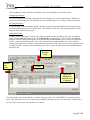
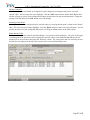
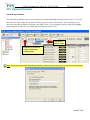
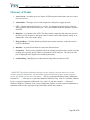
Once notes are saved along with the trend, the user can
use the “Jump to Note” feature to quickly find any pen
notes that are saved with the trend. Simply right-click at
any location on the trend and select “Jump to Note”
from the pop-up menu. Any pens that have notes
attached to them will appear. Click the desired note and
the trend will jump to the date/time for that particular
note. The selected note will be centered on the trend.
Page 18 of 51