1
102/152
MxControlCenter Manual: Advanced Features
3.10 Third-Party Cameras With PTZ Controls And Pan/Tilt Heads
3.10.1 Overview
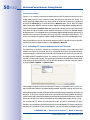
Besides MOBOTIX cameras, you can also connect third-party IP or analog cameras (for
example, Axis IP cameras, Bosch AutoDome, Siemens SpeedDome) to MxControlCenter.
For more information, see Section 2.8.1 Integrating Third-Party Digital/Analog Cameras.
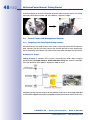
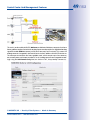
Some camera models feature motorized pan/tilt units and zoom lenses that can be controlled from within MxControlCenter using a joystick or the PTZ Controls sidebar panel.
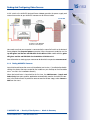
If a MOBOTIX camera is mounted on a pan/tilt head and configured accordingly, its pan
and tilt features can also be controlled from an MxControlCenter computer.
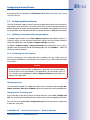
3.10.2Connecting Third-Party IP And Analog Cameras
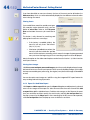
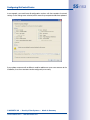
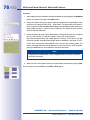
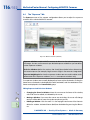
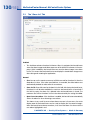
To connect and display a camera in MxControlCenter, enter the IP address (or DNS name),
port number and login data (user name and password).
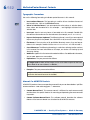
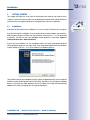
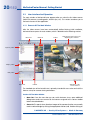
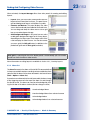
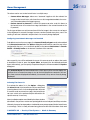
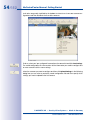
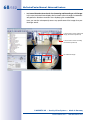
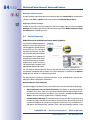
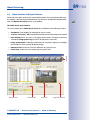
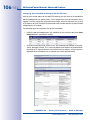
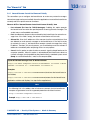
Open the menu Camera > Add and click Camera to display the Add Video Source
dialog box:
An additional computer is required to integrate analog cameras from third-party manufacturers on the MOBOTIX MxServer software. MxServer can digitalize up to four connected
cameras using a frame grabber card and make them available for MxControlCenter
(see Section 3.10.5 Using Analog Cameras with MxServer).
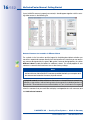
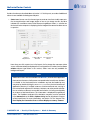
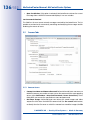
• IP cameras can be added by specifying the type (Axis, Merit LILIN, etc.) and IP address.
• Analog cameras (Bosch AutoDome, Siemens SpeedDome) can be integrated by
selecting the type, the MxServer channel and entering the IP address of the MxServer
computer. The port number shows which of the analog cameras connected to the
MxServer are to be used.
For more information on connecting analog cameras, configuring MxServer and storing the
video streams of IP and analog cameras from third-party manufacturers using MxServer,
© MOBOTIX AG • Security-Vision-Systems • Made in Germany
www.mobotix.com • [email protected]