1
62/152
MxControlCenter Manual: Advanced Features
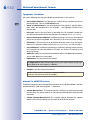
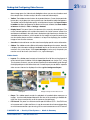
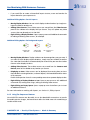
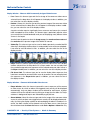
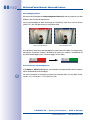
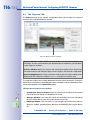
• Fast Forward: Fast-forwards through the images of all event sequences. Click the
button again to stop playback.
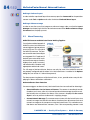
Buttons for Playing Back Event Images
• Jump to Beginning: Click this button to display the first saved image.
• Rewind: Plays back the event images in reverse order. Click the button again to stop
playback.
• Previous Event: Click this button to display the previous event image.
• Next Event: Click this button to show the next event image.
• Play Events Only - Forwards: Plays back the event images in chronological order.
Click the button again to stop playback.
• Jump to End: Click this button to display the last saved image.
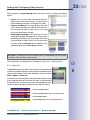
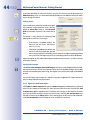
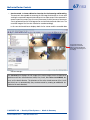
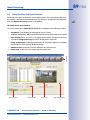
Time-Synchronized Playback
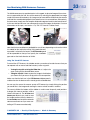
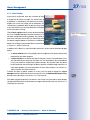
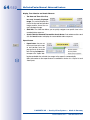
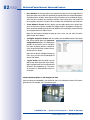
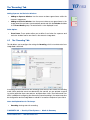
The Player panel in the sidebar also
allows you to play back synchronized
video from several cameras in a layout
simultaneously. Synchronous playback
applies to all the display windows of
a layout that are currently in Player
mode. You can switch the display
windows to Player mode by clicking
the Toggle Player mode button in the toolbar for individual windows or the All button in
the Player panel for all the windows of a layout at once.
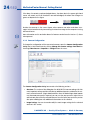
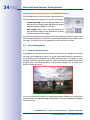
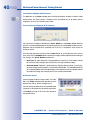
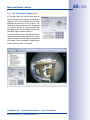
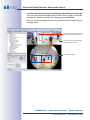
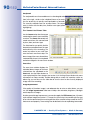
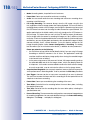
Making a selection from the Synch. Mode drop-down list opens a dialog box for setting
the start time. Enter a start time and click Goto to set all Player windows to that time.
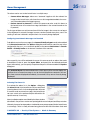
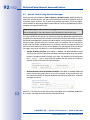
Note
If one of the selected cameras did not make any recordings at that time, the time
of the closest available recording will appear in the image.
© MOBOTIX AG • Security-Vision-Systems • Made in Germany
www.mobotix.com • [email protected]