1
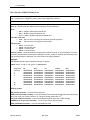
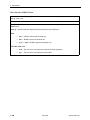
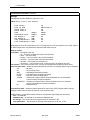
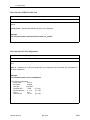
CLI Conventions 2 Overview The Command Line Interface (CLI) is accessible via either a directly connected terminal session or a Telnet connection. You can use the CLI to: Change the operational characteristics of the device by setting configuration values Display system status Perform diagnostics The system supports multiple simultaneous CLI sessions. Access Levels CLI users have one of two access levels: User – The user may display certain configuration and status information. Administrator – The user has access to all commands. The Administrator level requires a second password. At least one login ID and one password are internally stored for each user, and can be modified by the administrator. If the user has administrator privileges, one login ID and two passwords are stored (one for User privilege and one for Administrator privilege). The passwords must be different for User level and Administrator level access for the same login ID. 2600-A2-GB21-50 May 2006 2-1