1
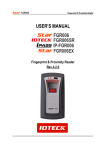
Chapter 5 – Advanced Administration In order to change the duration, first use the SEL key to change SETTING from DEFAULT to CUSTOMIZE. After this has been done, use the ENTER key to move the cursor and the SEL key to change the value. To save the settings, press the EXIT key. Notes: The use of the relay to directly control an electromagnetic lock is not really recommended. For a more secure installation, the use of the TouchStar Door Zone Controller, or any external door controller from a third party vendor is advised. b) Menu for BELL: If you have selected BELL, you would see the following display: SET BELL TYPE SE LECT L OCAL TI MI N G SEL EXIT ENTE R There are 2 selections for the bell type described as follows: 1 Setting Purpose BELL TYPE To select whether the bell should ring based on timings that can be configured directly on the device (Local Timings), or based on a set of schedule (Schedule 99, or known as Bell Schedule). Available Selections a) LOCAL TIMING b) SCHEDULE 99 Press SEL to toggle the selection. When the selection has been selected, press ENTER to get into the detailed settings for that selection. i) Local Timing: If you have selected LOCAL TIMING, you would see the following display: SET LOCAL BELL BE LL BE LL BE LL BE LL BE LL OK 1 2 3 4 5 EXIT BACK FWD There are a total of 20 local bell timings that can be used. Use the OK key to enter the detailed settings for the selected bell. To scroll through the various bells, use the BACK or FWD keys. 63