1
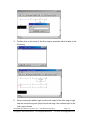
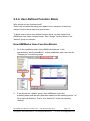
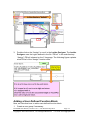
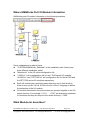
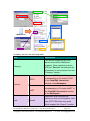
5.3.4. User-Defined Function Block Why should we use function block? There may be cases that using only ladders is too complex. At that time, using a function block may be a good choice. To know how to add a user-defined function block, we first explain how HMIWorks uses these function blocks. Take “Assign” function block in the “default” group for example. How HMIWorks Uses Function Blocks 1. Go to the installation path of the HMIWorks software. In the sub-directory, “bin\FunctionBlock”, of that installation path, open the file “Category.ini” to load the groups. 2. If we choose the “default” group, then HMIWorks opens the matching-name sub-directory and then loads from the matching-name “.ini” file in that sub-directory. That is, the “default.ini” in the sub-directory “default”. TouchPAD User Manual, version 1.0.12. Last Revised: May 2012 Copyright © 2012 ICP DAS Co., Ltd. All Rights Reserved. Page: 76 E-mail: [email protected]