1
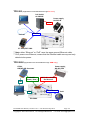
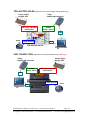
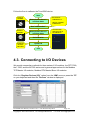
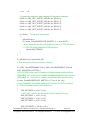
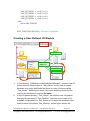
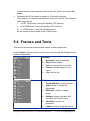
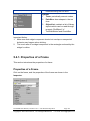
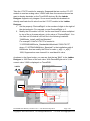
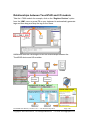
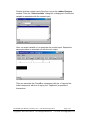
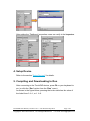
6.4. Integrating TPD-283 Series with I/O modules In this example, we use the TPD-283 device to control a PET-7060 module, the 6-channel Power Relay Output, 6-channel Isolation Digital Input and PoE module of ICP DAS. First, put the PET-7060 module in the Ethernet network of the TPD-283 device and use a browser to configure the PET-7060 module. 1. Configuring PET-7066 by a Browser Download the MiniOS7 Utility and its user manual from ftp://ftp.icpdas.com/pub/cd/8000cd/napdos/minios7/utility/minios7_utility/ Then use the MiniOS7 Utility to configure the IP settings of the PET-7060 module. (Be sure to make the PET-7060 module and your PC in the same subnet.) Press F12 on your keyboard to scan through the network. Then click the PET-7060 module that is found and then click the “IP setting” button to configure the IP settings. TouchPAD User Manual, version 1.0.12. Last Revised: May 2012 Copyright © 2012 ICP DAS Co., Ltd. All Rights Reserved. Page: 166 E-mail: [email protected]