1
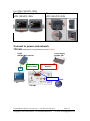
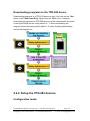
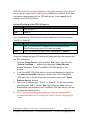
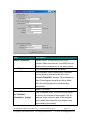
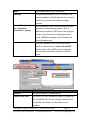
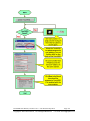
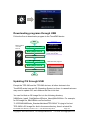
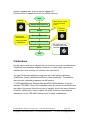
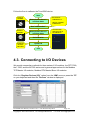
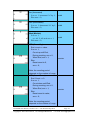
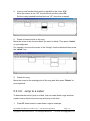
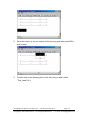
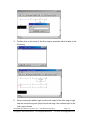
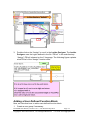
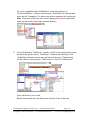
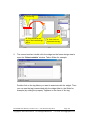
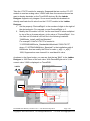
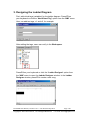
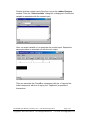
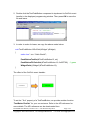
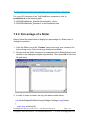
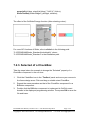
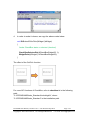
named “osupdate.bat” and it is used to update OS. Follow the flow to update OS to the TouchPAD devices. Start In back of TouchPAD Rotary Switch set to 1 After resetting , usually you can see a blank screen. In back of TouchPAD Reset The content of “osupdate.bat” is: Run “osupdate.bat” “dfuprog -a 0x1800 -r -f MiniOS8.bin” Rotary Switch set to 0 Reset Set rotary switch to 9 and then reset to check the result. End Calibrations Usually users need not to calibrate the touch screen because we calibrate the TouchPAD devices before shipping. However, in cases users may need to calibrate the touch screens, we introduce the flow below. You can find that the calibration programs are in the following directory: “[HMIWorks_Install_Path]\bin\boot\[Device_Name]\calibrate”. For example, there are two calibration programs can be found at “C:\ICPDAS\HMIWorks_Standard\bin\boot\TPD-280U\calibrate” if trying to calibrate TPD-280U. One is for landscape (when the screen is horizontal) and the other is for portrait (when the screen is upright). And in the same directory of the file, calibrate.bin, there’s a batch file which is used to download the calibrate.bin to the TPD-280U device and it is called “calibrate.bat”. TouchPAD User Manual, version 1.0.12. Last Revised: May 2012 Copyright © 2012 ICP DAS Co., Ltd. All Rights Reserved. Page: 48 E-mail: [email protected]