1
、Use the Fuel Injector tester & Cleaner
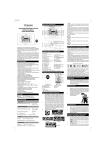
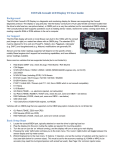
1、 panel direction
1) Selection
Press the key, start the test mode at idling speed, rotation speed、pulse width、timing、and count signal
lamp displays in proper order, numeral tube shows 750、3、160、2000 successively; Press again start
the test mode at max loading, signal lamp lights, numeral tube shows 240、12、25、1000 successively.
Press it again, start the test mode at max rotational speed, numeral tube shows 3000、6、20、1000.
Press again start the test mode at injecting capacity in 15S, numeral tube shows 15S.
2) Valve
Press the key, the signal lamp lights, valve opens, the unit begins to back drain the liquid. The signal
lamp turns off, valve closes. After 10 minutes the program stops automatically.
3) Lighting
Press the key, the signal lamp and the backlight light, press it again, the lamp turns off. With the
automatic protect function in 10 min under the stop state.
4) Parameter
Press the key, select and set rotation、pulse width、timing and count. Indicator shows the current
parameter state.
5) Auto
Press the key, starting working as the set-up program.
6) Manual
Press the key, operate manually, press selection key firstly to set the test program, press it again, start
working.
7) Stop
Press the key, stop during the test, only apply to manual function.
8)
“+,-”
Press the key, increase or decrease the data of rotation、pulse width、timing and count.
4