1
Randomly Skip the Songs
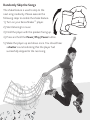
The shake feature is used to skip to the
next song randomly. Please execute the
following steps to enable the shake feature.
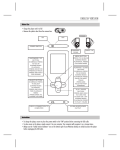
1)Turn on your Sansa Shaker™ player.
2)Start listening to music.
3)Hold the player with the speaker facing up.
4)Press and hold the Power/Play/Pause button.
5)Shake the player up and down once. You should hear
a shutter sound indicating that the player had
successfully skipped to the next song.