1
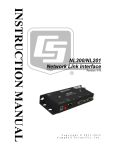
NL200/201 Network Link Interface 1. Introduction The NL200/201 Network Link Interface allows Campbell Scientific dataloggers and peripherals to communicate over a local area network or a dedicated Internet connection. This serial to Ethernet interface can be connected to a datalogger’s CS I/O port or other devices via RS-232. This manual describes how to use LoggerNet to connect to your datalogger with an NL200/201. You can also use other software packages, such as PC400, RTDAQ, or LoggerLink Mobile Apps for iOS and Android. 2. Cautionary Statements The first time an NL200/201 is attached to a datalogger and Bridge Mode is enabled, the datalogger’s memory has to be reorganized to allow room in memory for the IP stack. To avoid the loss of data, collect your data before enabling Bridge Mode. Device Configuration Utility (DevConfig) 2.05 or higher is required to communicate with the NL200/201. The latest version of DevConfig can be downloaded from our website at www.campbellsci.com/downloads. The device driver for the NL200/201 must be installed on your computer before you can connect to the NL200/201 via USB. To install the device driver, verify you have the latest version of DevConfig (see previous bullet). Under Device Type, select Network Peripheral | NL200 Series. Click the Install the device driver for the device link and follow the prompts. 3. CR1000, CR3000, and CR800-series dataloggers require operating system version 23 or higher in order to operate with the NL200/201 in bridge mode. The latest operating systems can be downloaded from our website at www.campbellsci.com/downloads. The NL200 is not powered over CS I/O or USB. An external power adapter or power cable is required. The NL201 can be powered by the CS I/O port or an external power adapter or power cable. If you wish to prevent the NL201 from being powered by the CS I/O port, see Appendix B, Cables, Pinouts, LED Function, and Jumper. Ensure maximum protection against surges. Use a shielded Ethernet cable and external surge protection. Keep RS-232 and CS I/O connections short. The NL200 may require the use of external surge suppression. The NL201 has integrated surge protection. The NL201 must be well grounded using the ground lug on the case for the surge protection to work properly. Quickstart Out of the box, the NL200/201 is configured for operation as a PakBus® Router. In this mode, the NL200/201 can be used to communicate with Campbell Scientific PakBus devices over an Ethernet / Internet network connection. 1