1
T3 User Manual
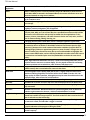
Contents
Copyrights and Disclaimer ..................................................................................................... i
Trademarks................................................................................................................................................ i
Reader Response ....................................................................................................................................... i
Contact....................................................................................................................................................... i
Chapter Summary ................................................................................................................. ii
Chapter 1, TS3 Product Overview.............................................................................................................. ii
Chapter 2, Getting Started......................................................................................................................... ii
Chapter 3, Camera Setup........................................................................................................................... ii
Chapter 4, Recording with the TS3............................................................................................................. ii
Chapter 5, Synchronizing Cameras............................................................................................................. ii
Chapter 6, TS3 Web-Application................................................................................................................ ii
Chapters 7 and 8, FasMotion..................................................................................................................... ii
Appendices and Application Notes............................................................................................................ ii
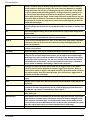
1 TS3 Product Overview......................................................................................................... 1
1-1 TS3 Product Description....................................................................................................................... 1
1-2 TS3 Product Differentiation.................................................................................................................. 2
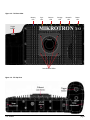
1-3 TS3 Controls, Indicators, and Connectors............................................................................................. 3
2 TS3 Getting Started ............................................................................................................ 7
2-1 Unpacking the Camera ........................................................................................................................ 7
2-2 Installing the Lens................................................................................................................................ 7
2-3 Powering Up, Charging, and Power Down............................................................................................ 8
2-4 TS3 Memory and Mass Storage Options............................................................................................. 10
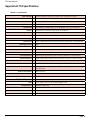
3 TS3 Camera Setup............................................................................................................. 13
3-1 Camera Display and Menu Navigation Buttons................................................................................... 13
3-2 Using the Touchscreen....................................................................................................................... 14
3-3 Controlling the Displays..................................................................................................................... 15
3-4 Connecting to a PC via Ethernet......................................................................................................... 16
3-5 Using the TS3 with a PC..................................................................................................................... 17
3-6 TS3 Name the Camera ...................................................................................................................... 18
3-7 Setting the Time ............................................................................................................................... 19
3-8 Storage Setup.................................................................................................................................... 20
3-9 Configuration and Camera Information.............................................................................................. 21
3-10 Reset............................................................................................................................................... 21
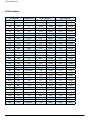
4 Recording with the TS3..................................................................................................... 22
4-1 Setting Frame Rate and Resolution.................................................................................................... 22
4-2 Setting Shutter Speed........................................................................................................................ 24
4-3 Low Light Mode................................................................................................................................. 25
4-4 Setting Bit Depth............................................................................................................................... 25
4-5 Configuring the Trigger ..................................................................................................................... 26
4-6 Black Level Calibration....................................................................................................................... 27
4-8 Autosave........................................................................................................................................... 29
4-10 Image Processing............................................................................................................................. 32
4-11 Custom Color Correction.................................................................................................................. 33
11S-3000M
page iii