1
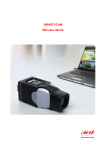
SmartyManager
User Manual
Release 1.08
23
5.3 – Firmware update
Firmware Update checks for firmware updates for SmartyCam anytime an Internet
connection is present. SmartyManager will automatically search our online database and
tell you whether or not your SmartyCam needs updating. Simply click on Firmware
Update and the software will begin firmware query.
Afterwards this window appears
Back (1) button leads back to SmartyManager main window.
The remaining part of the window is divided in:
• firmware download (2 – paragraph 5.3.1)
• firmware update (3 – paragraph 5.3.2)
25
www.SmartyCam.com