1
SmartyManager
User Manual
Release 1.08
0
Chapter 1 – Installation
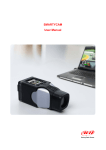
SmartyManager is the software suite specifically designed and developed by AIM to
configure SmartyCam. SmartyManager allows users to customize the appearance of
their data and video integration.
5
1.1 – Software installation
To install SmartyManager software onto your computer, please insert the included setup
disk into the CD drive and save the SmartyManager executable file on the PC Desktop.
Should the disk be missing, visit www.SmartyCam.com to download a complimentary
copy. Once saved, double-click the setup icon (shown below) to start software installation.
SmartyManager Setup Wizard will guide the user through the required software setup.
6
1.2 – Driver installation
Note: in order to guarantee optimal device performance, use only USB 2.0 ports.
Upon successful installation of SmartyManager software, USB driver installation may
start. USB Driver is the software that makes SmartyCam communicating with the PC.
To begin USB driver installation process, connect SmartyCam to the PC with the provided
USB cable. The computer should automatically recognize that a USB device has been
connected (Figure below). Click on Found new hardware prompt, if the Found New
Hardware Wizard does not appear automatically.
This window appears
2
www.SmartyCam.com