1
,QWURGXFWLRQ
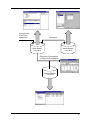
PiAero provides the following basic functions:
■
takes data on-line from Pi's wind tunnel instrumentation and stores it in a
database
■
allows you to develop an inventory of parts, used to describe the model
configuration for each run
■
places result and model configuration data in an Excel spreadsheet
Excel is intended to be the primary means for displaying the data, for generating reports and
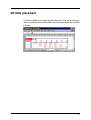
printouts. The Excel spreadsheet is linked 'live' to PiAero, so that data appears the moment
it becomes available from the instrumentation. PiAero can also trigger macros in Excel upon
receipt of data, so that printouts and other function calls can be run automatically.
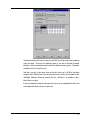
The tables injected into the spreadsheet by PiAero can be used as sources of data for Excel
charts and pivot tables. By spending a little time customising the Excel spreadsheet, you can
create any number of reports, summary sheets, trend graphs etc... Once this has been
done, it becomes a trivial task to select and load in data for the runs that you want to view.
There are four types of data files used by PiAero. The distinction between them helps to
explain the structure of the program.
5HVXOWV 'DWDEDVH
DHURBUGE ILOHV
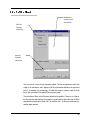
A Results Database stores data generated by the wind tunnel instrumentation (forces,
pressures etc...) run by run, together with the model configuration for each run.
You can create any number of results databases, which could be used to separate out data
for different projects, different cars, or perhaps each wind tunnel session.
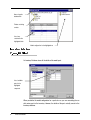
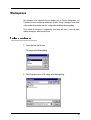
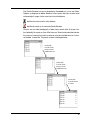
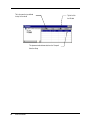
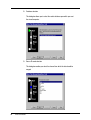
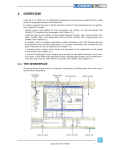
A results database is displayed in PiAero as shown overleaf:
7