1
Operating the clock using the remote control unit.
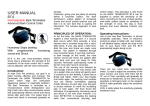
The maximum range of the remote control unit is approximately 300 meters. The unit has 6
buttons.
The unit has 6 buttons. Note that most actions happen when you press and then immediately
take your finger off the button. Do not hold a button down unless you are trying to correct a
mistake.
Starts the clock running. If you make a mistake, you can hold down this button for
about 3 seconds to subtract 10 seconds from the time.
Stops the clock. If you make a mistake, you can hold down this button for about 3 seconds to
add 10 seconds to the time. If the clock stops at less than 5 seconds in the last chukka,
holding down the button for 3 seconds will set the clock at 5 seconds (The 5 second rule).
Not normally used.
Not normally used
This button only works when the clock is stopped. Pressing the button will set the
clock for the next chukka. The time will be set to 7:00 minutes. If you make a
mistake, you can hold down the button for about 4 seconds. After 3 minutes of the
end of a chukka (5 minutes at half time), the bell will sound to denote the end of time out. Press
the STOP button to prevent the bell from sounding (e.g. when a player is about to start the next
chukka by a free hit and you do not want the bell sounding during the run-up)
This button only works when the clock is stopped. Pressing the reset button will set
up the clock for the next match. The time will be reset to 7:00 minutes. If you make a
mistake, hold down this button for about 4 seconds. In this case, the clock will revert
to the value before you pressed the button.
Holding down the
button and pressing the
button will sound the horn whilst
you hold the buttons. This only works at the end of the match when the time is 7 minutes. The use
of this is to hurry on the players for the next match.
Sporting Designs Ltd. User Manual for Polo Clock Page 3 of 14